Act for an organization
How a Cypress Manager signs in to Grove, sees every organization they manage, acts for one at a time, and what each organization lets Cypress do.
TL;DRAI summary
This chapter shows Cypress Managers how to switch between the different organizations you manage in Grove. You can only act for one organization at a time, and everything you do is recorded for that specific organization.
For: Cypress Managers
Before you start
- You sign in with your Cypress staff account. Grove shows you the organizations that use Grove, the ones you manage first.
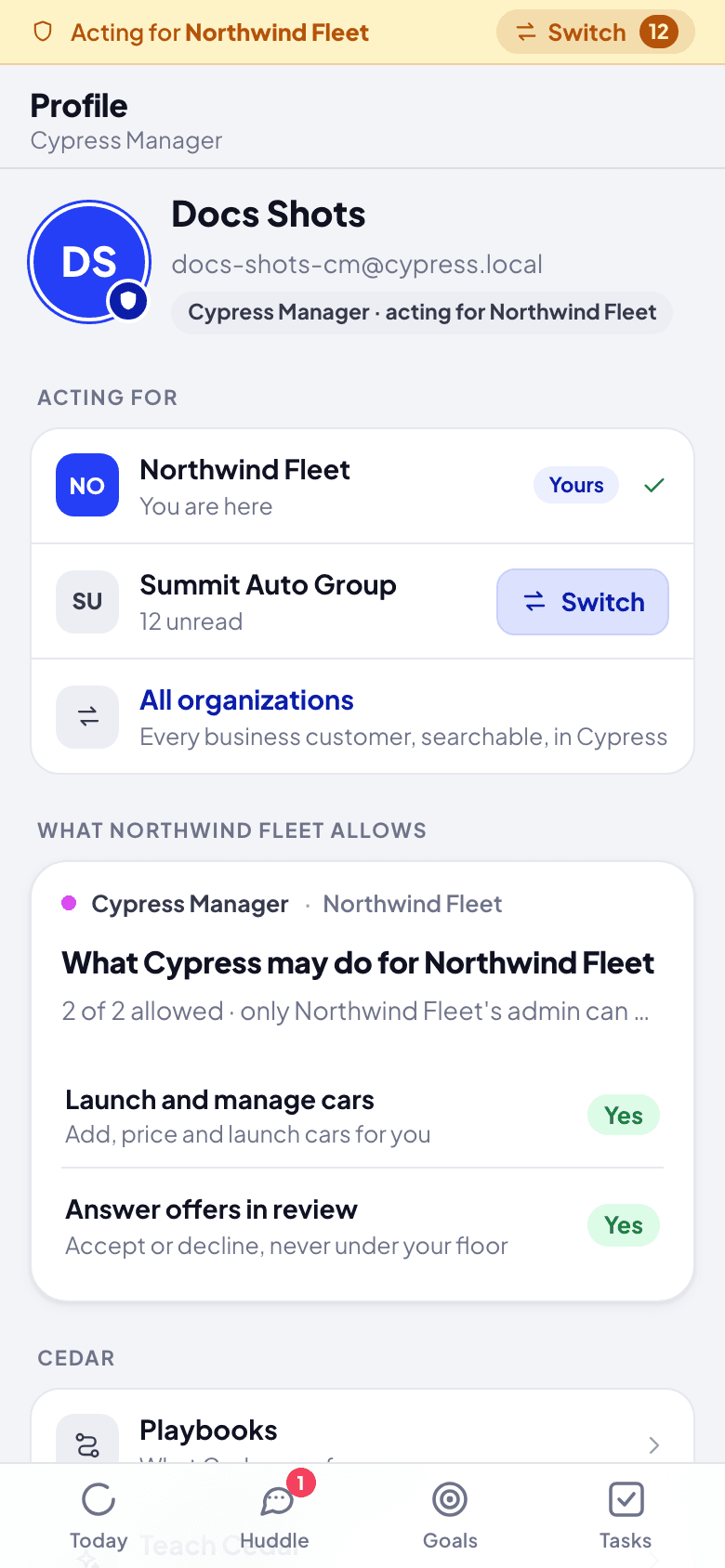
- You act for one organization at a time, with Cypress's own permission for it: what the organization lets Cypress do (launch and manage cars, answer offers in review, make buyer offers), until the end date it set, if any.
Steps
Click Sign in with Cypress. After Cypress's sign-in, pick the organization to act for. Grove opens on its Today, with an amber bar across the top: Acting for ….
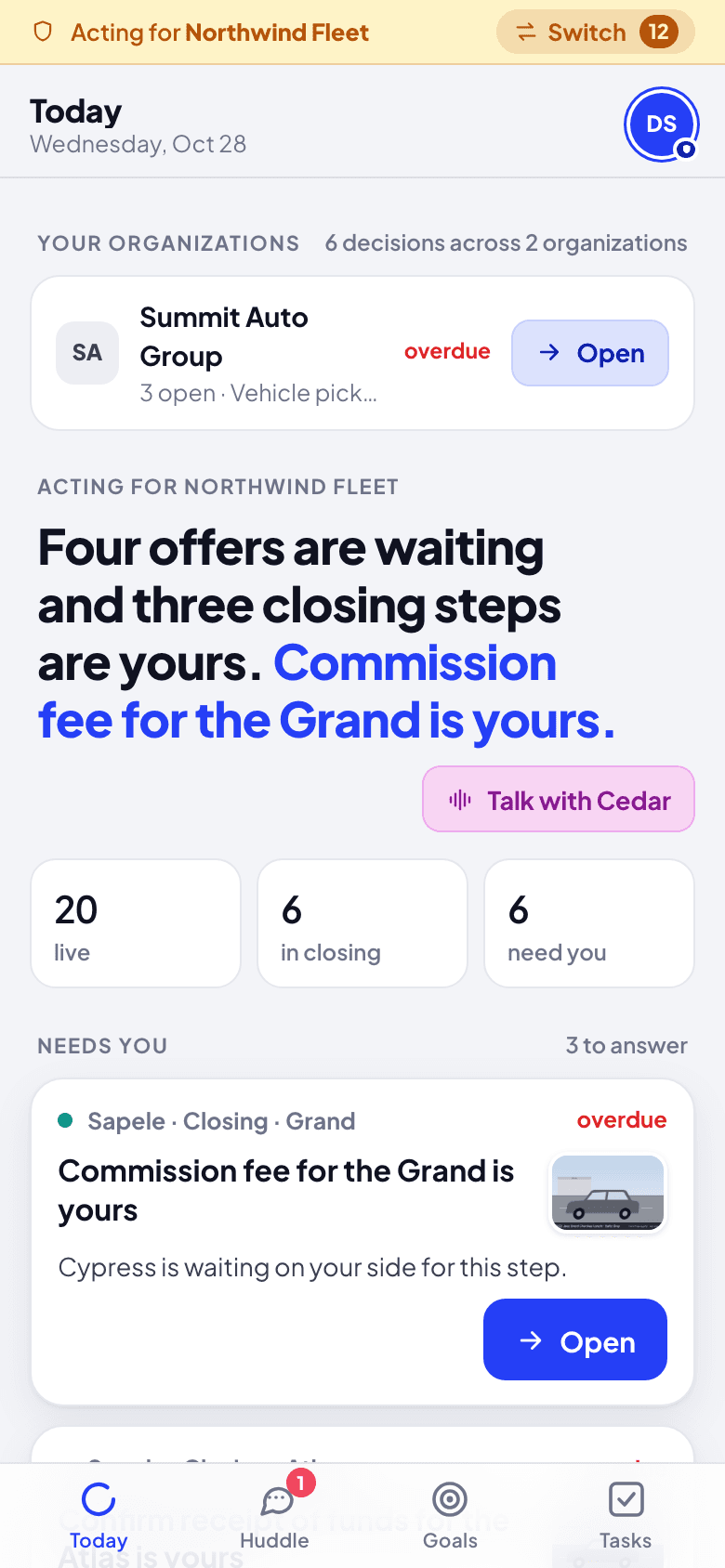
Read Your organizations at the top of Today: every organization you manage with what needs a person there ("6 decisions across 2 organizations"). Open one to act for it instead.
Open Profile (or Switch on the amber bar: a number there counts what is for you in your other organizations, a dot means only new messages). Acting for names the organization, with Switch; What … allows lists what it lets Cypress do for it, with its end date if it set one. Sign out ends your session.
What happens next
Everything you do is recorded in Cypress as done by you, for that organization, from Grove. Its team sees you in its huddle as its Cypress Manager. Switch to another organization whenever you need to; nothing carries over between them. You never lose what is for you in the others, even if you miss the notification:
- It slides in at the top as it comes, named by its organization.
- Huddle lists it under Other organizations, on top: a direct message, your room with Cedar, a mention. The Huddle tab counts it.
- The Inbox lists it under Other organizations, and counts it.
Tap any of them to switch to that organization and open it.
If something goes wrong
- A card has no Accept while you act for an organization. It has not let Cypress answer offers in review, or the offer is below its floor: below the floor is always the organization's own fleet manager or admin.
- An organization is missing from the list. It has not connected Grove yet; its admin connects it once.
- What it allows changed overnight. A grant with an end date reads as off once the date passes, everywhere in Cypress and Grove.
Teach and correct Cedar
Decide how far Cedar goes alone, teach it facts about your organization, see why it said something, and correct an answer so it follows the lesson from then on.
Grove glossary
Every word Grove uses, A to Z: places, cards, levels, agents, and the Cypress terms Grove brings with it.