Find and buy cars
Say what you are looking for: Cedar matches it to a target in your buy plan or drafts one, shows the cars that fit, and weighs sellers' counters against the plan.
TL;DRAI summary
This chapter shows you how to find and buy vehicles within your buying plan using Cedar. You can search for cars that fit your targets, make offers, and manage counteroffers until a deal is reached.
For: Buyers · Cypress Managers acting for a buyer, within what it allows
Before you start
- Your quarter's buy plan lives in Cypress (targets, budget). Grove reads it and adds to it; change goals and targets there.
- Offers bind. Cedar fills them in from your target's price, and you confirm each one.
Steps
Tell Cedar what you are looking for, with how many and when: "I'm looking for 3 Ford F-150s for next month". Cedar matches it to an open target in your plan (here Already covered by F-150 XLT, 2023 or newer, with 1 of 4 bought (1 in closing) · 3 still to buy · by Nov 22), or drafts a new target with Create target. If it fits a target but you want it apart, Separate target.
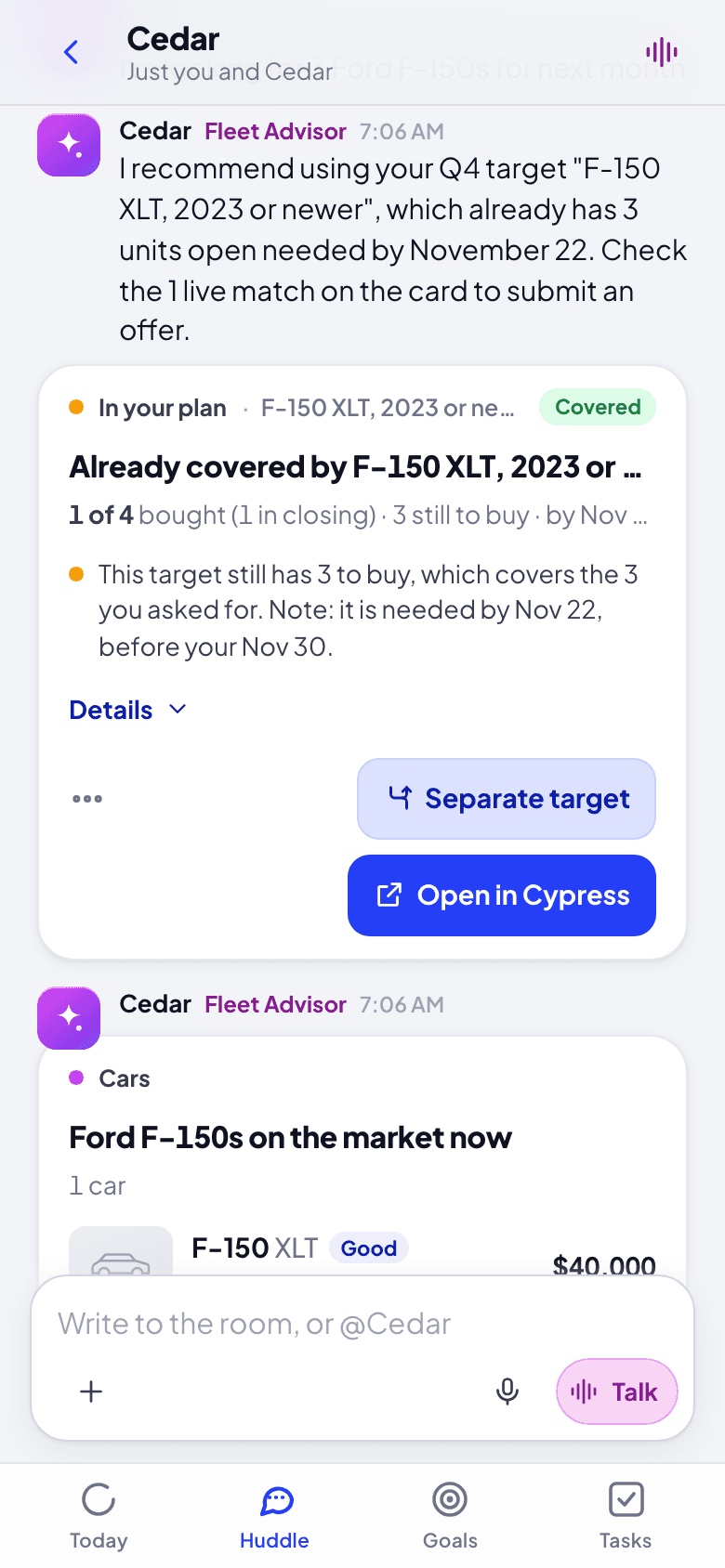
Look at the cars that fit, under the card. For a window within the next two weeks, Cedar searches the market at once; for one further out, it sets the target and alerts you when a car fits.
Make offers from the list, each confirmed by you. When a seller counters, it comes to Today ("The seller asks $21,700 for the 2023 Nissan Rogue SV") with the hours left, weighed against your target: accept the counter or counter back. Grove suggests where to meet; type any amount between your offer and theirs instead. Its notice opens that card.
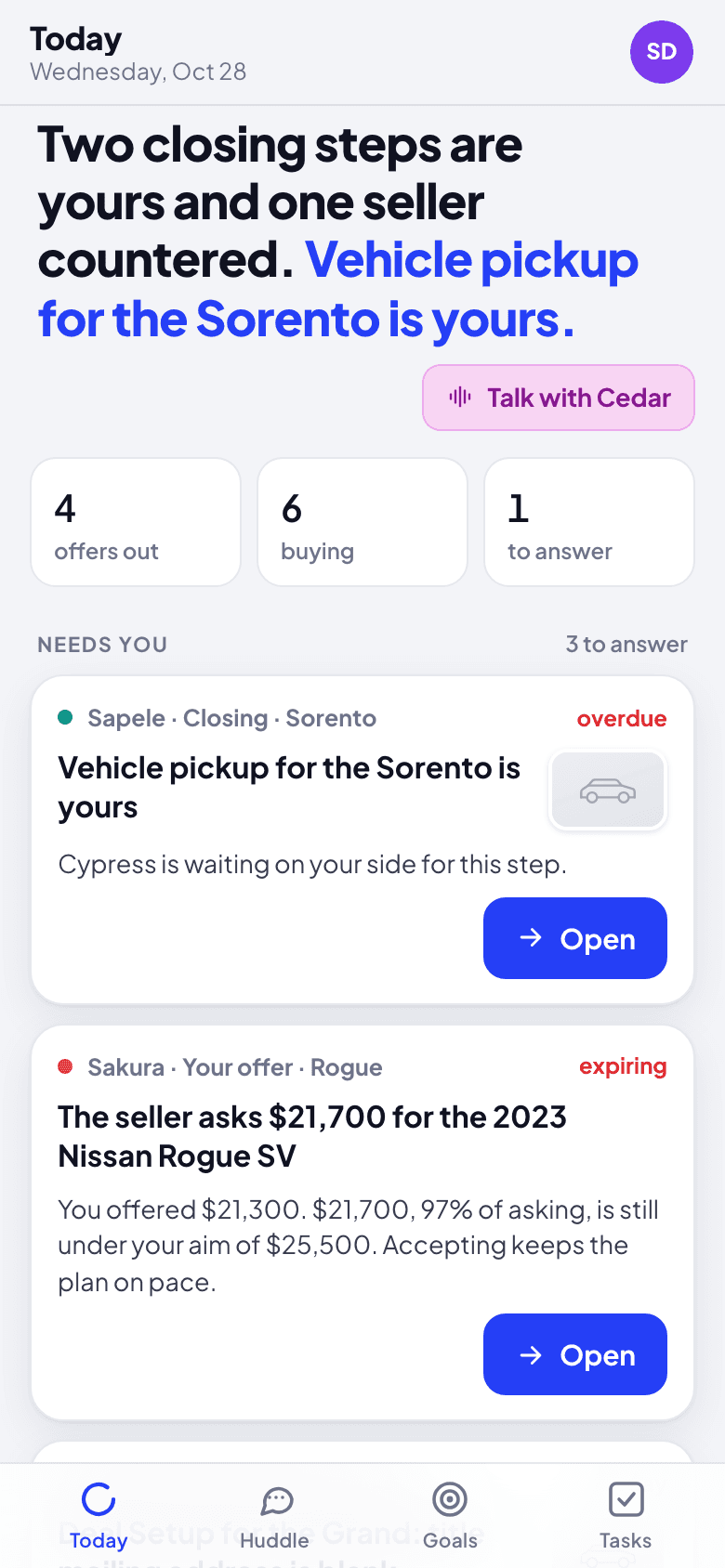
What happens next
A target gets its own conversation (here f-150-xlt-2023-or-newer), where Cedar posts the cars that match. Picks you mark Not for me, with a reason, teach the next picks. A car a seller shares with you by direct link opens in Grove when you paste the link, checked against your targets; an offer on it goes through the link.
If something goes wrong
- "Buy planning is not on for your organization." Ask your Cypress Manager to switch it on in Cypress; Cedar can still search the market.
- A target's window is in the past. Cedar asks for a new date rather than adding to a target that has ended.
- The counter has 0 hours left. It ran out; the seller's car is back on the market, and you can make a new offer.
Work a closing in its deal lane
Each sale in closing has its own lane with Sapele and a card for every step: Deal Setup, the commission paid by card, the bill of sale, funds, gate pass, title, pickup and the closing complete, each done by the right person.
Follow the quarter's plan
Goals shows the quarter's sell and buy plans as Cypress keeps them: the goal, each month, the next hand-off, and this week's plays made into tasks.