Teach and correct Cedar
Decide how far Cedar goes alone, teach it facts about your organization, see why it said something, and correct an answer so it follows the lesson from then on.
TL;DRAI summary
This chapter shows you how to adjust Cedar's automated actions and correct its mistakes. You can teach Cedar new rules for yourself or your whole team, helping it understand your unique business needs and improving its responses over time.
For: Everyone (corrections for yourself) · Admins, fleet managers and Cypress Managers (rules, team memory, corrections for the whole team)
Before you start
- Playbooks has three tabs: Playbooks (what Cedar runs), Teach Cedar (how far it goes alone, what it knows, what it was corrected on) and Activity (what it did).
- Only an admin, a fleet manager or your Cypress Manager changes the rules and teaches the whole team. Anyone can correct an answer for themselves.
See why Cedar said something
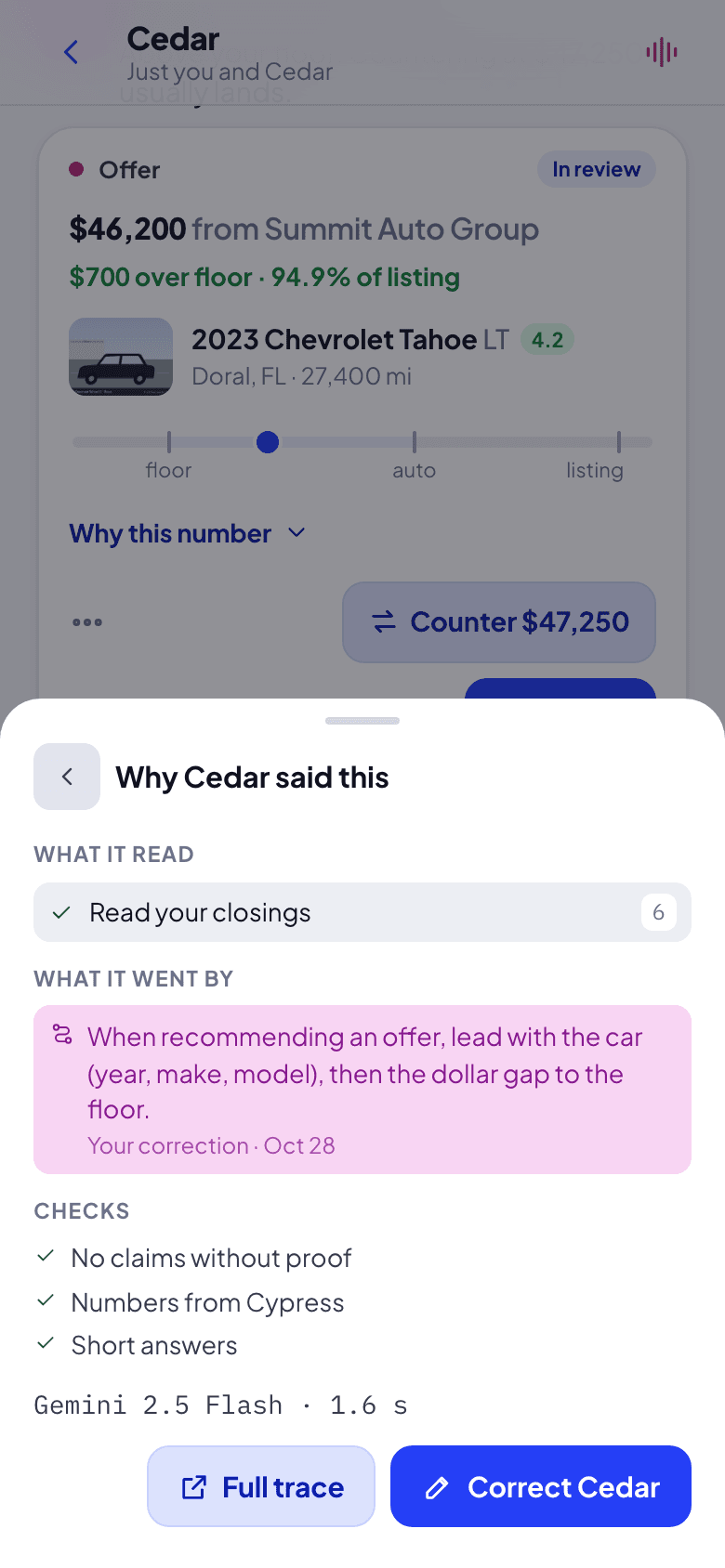
Hold one of Cedar's answers (or right-click it) and choose Why Cedar said this. What it read lists what Cedar looked at in Cypress, in plain words, with how many it found ("Read your closings · 6"). What it went by shows the card in the thread, team memory, and every correction it followed. Checks are three checks run on every answer: Short answers, Numbers from Cypress, No claims without proof. Last, the model and the time it took ("Gemini 2.5 Flash · 1.6 s").
Correct an answer
From Why Cedar said this, or straight from the message's menu, choose Correct Cedar. Pick what was off (A number is wrong, Too long, Wrong car or offer, Should not have done that, Something else) and write what it should have said or done.
Choose who Cedar remembers it for: Just me, or The whole team (admins, fleet managers and Cypress Managers). Then Save and answer again. Grove shows the one line Cedar keeps ("Cedar will remember: …"), and Cedar answers the same question again, in the same place, following it.
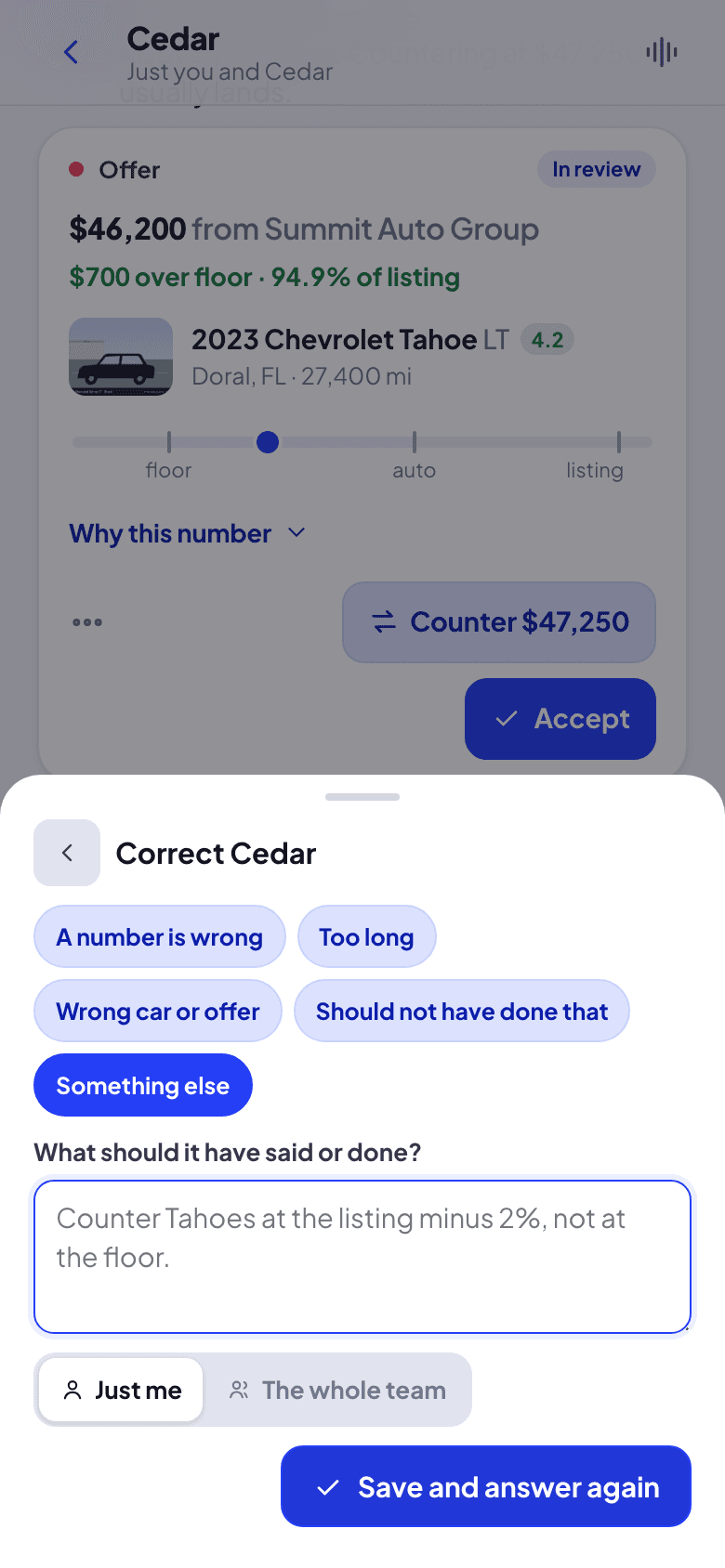
Cedar keeps your words and meaning in that line, made to stand on its own ("When recommending an offer, lead with the car (year, make, model), then the dollar gap to the floor."). It follows it in every later answer: a team lesson for everyone in your organization, yours only for you.
Set how far Cedar goes alone
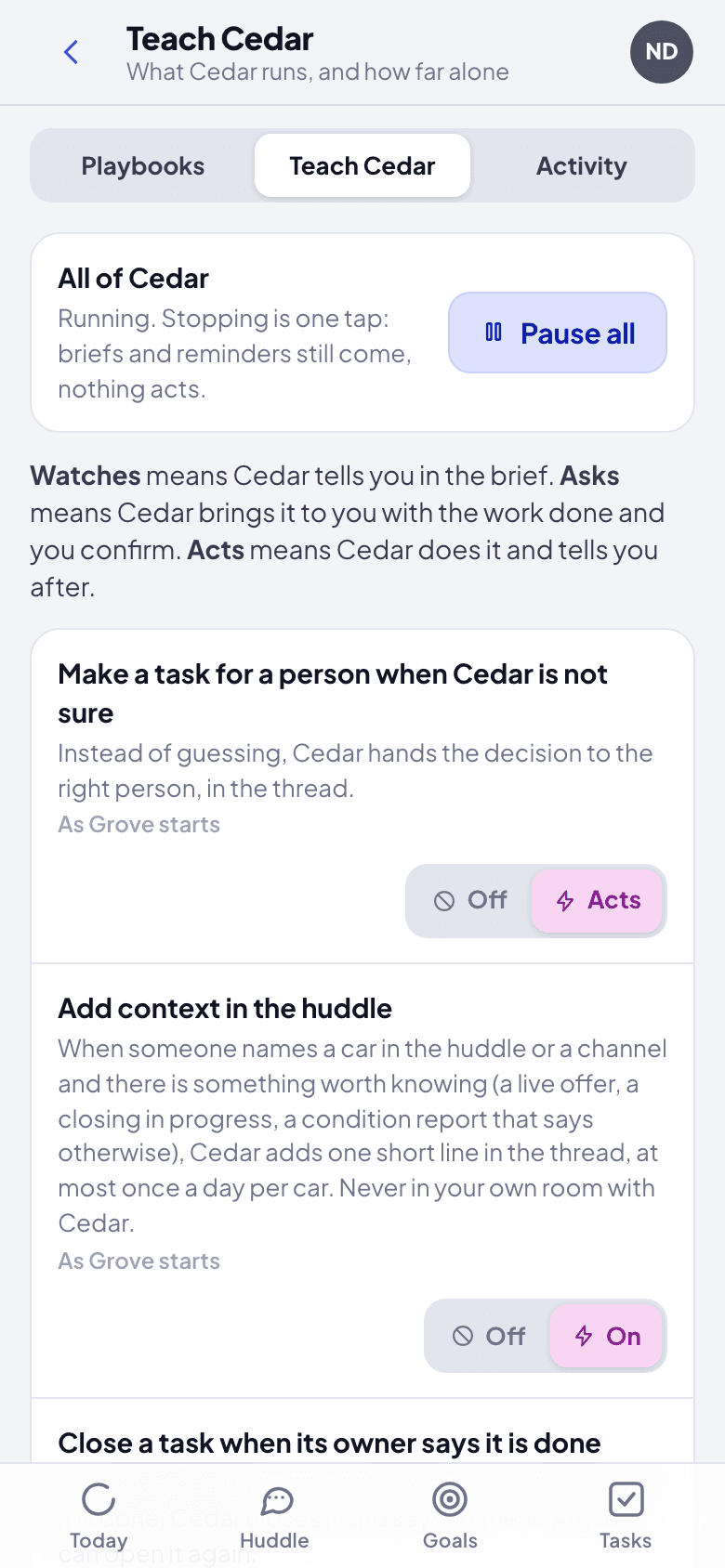
Open Playbooks, then Teach Cedar. Each rule has a level: Off; Watches, Cedar tells you in the brief; Asks, Cedar brings it to you with the work done and you confirm; Acts, Cedar does it and tells you after. Rules marked People only (floors, answers below the floor, money received) never change. Pause all stops Cedar acting at once; briefs and reminders still come.
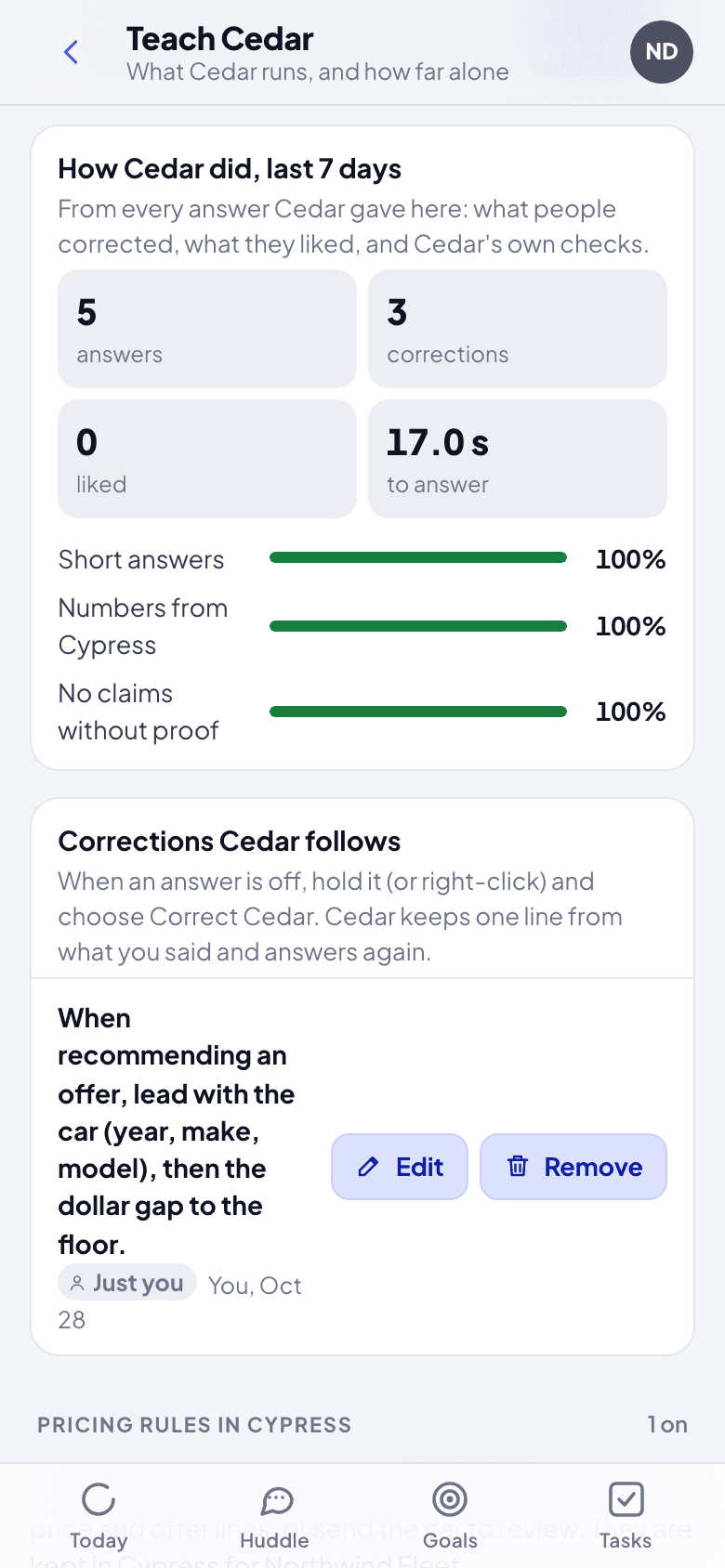
Lower on the page, What Cedar knows about … is team memory: what Cypress says about your organization, refreshed daily, and the facts your team taught ("We never buy salvage titles"). Type one in Teach Cedar something for the team and click Add. Corrections Cedar follows lists every lesson, yours and the team's, to Edit or Remove. How Cedar did, last 7 days counts answers, corrections, likes and the time to answer, with the share of answers that passed each check.
What happens next
Corrections and lessons apply from the next answer. Your Cypress Manager also sees the answers worth a second look (a check failed, someone corrected it) on Cypress's Cedar quality page, and a verdict there can become a lesson for your whole team, credited to them. See the staff manual.
If something goes wrong
- No Why Cedar said this in the menu. The message is not an answer (the morning brief's lines, for example), so there is nothing to explain.
- "Cedar remembers it for you. An admin or fleet manager can teach it to the whole team." You can correct Cedar for yourself only; ask an admin or fleet manager to teach it to the team.
- "Cedar never keeps passwords, codes, or card or account numbers." Take the number out of the correction and save again.
Tasks and hand-offs
Make a task from any message, see Cedar's own tasks and the ones it hands you when it is not sure, and let a reply close a task.
Act for an organization
How a Cypress Manager signs in to Grove, sees every organization they manage, acts for one at a time, and what each organization lets Cypress do.