Answer an offer in Grove
Accept, counter or decline an offer from its card, read the gap to your floor first, and what changes when an offer is below the floor.
TL;DRAI summary
This chapter shows you how to accept, counter, or decline an offer on a vehicle in Grove. You will see offers ranked by urgency, understand what happens after you respond, and learn how to handle offers below your set floor price.
For: Fleet managers and admins (sellers) · Cypress Managers acting for an organization, within what it allows
Before you start
- Offers come to you in Today, under Needs you, with the most pressing first, and as cards when you ask Cedar about them.
- Grove ranks them for you: offers at or above the floor first, then the one waiting longest, then the one closest to its listing price. Cypress works this order out; you can ask "Which offer should I answer first?" at any time.
- An offer below the floor can only be accepted or countered by your own fleet manager or admin. A Cypress Manager never does it.
Steps
In Today, click Open on the offer. It opens in its own thread with its card: the amount and the buyer, the gap to your floor and the share of the listing price ("$700 over floor · 94.9% of listing"), the car, and where the offer sits between your floor and the listing price. Why this number shows how the suggested counter was worked out.
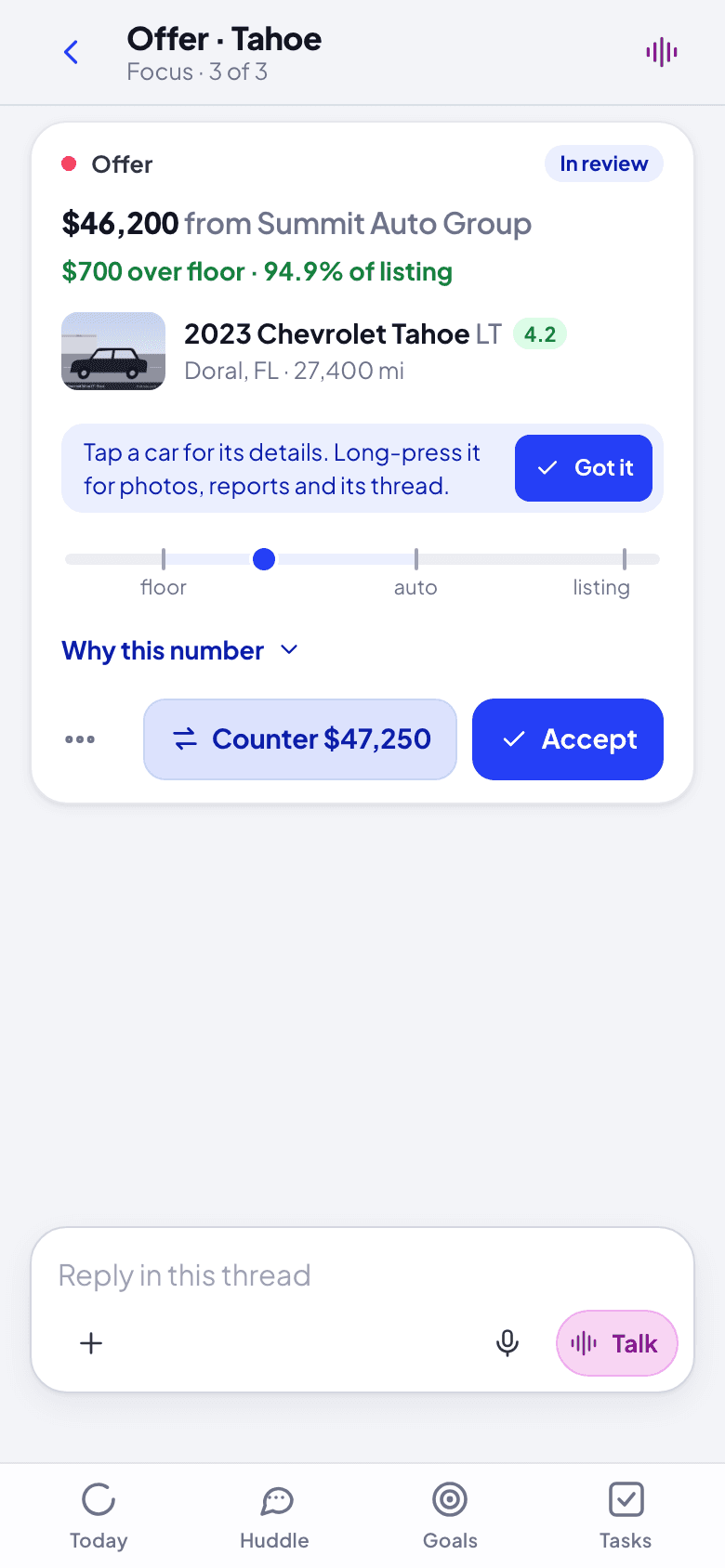
Pick what to do. Accept takes the offer. Counter $47,250 sends the suggested counter (it is a number your organization usually lands at; if your organization picks its own numbers, the button is Counter and you type the amount). Decline and Leave a note for … are under the three dots, with Open in Cypress.
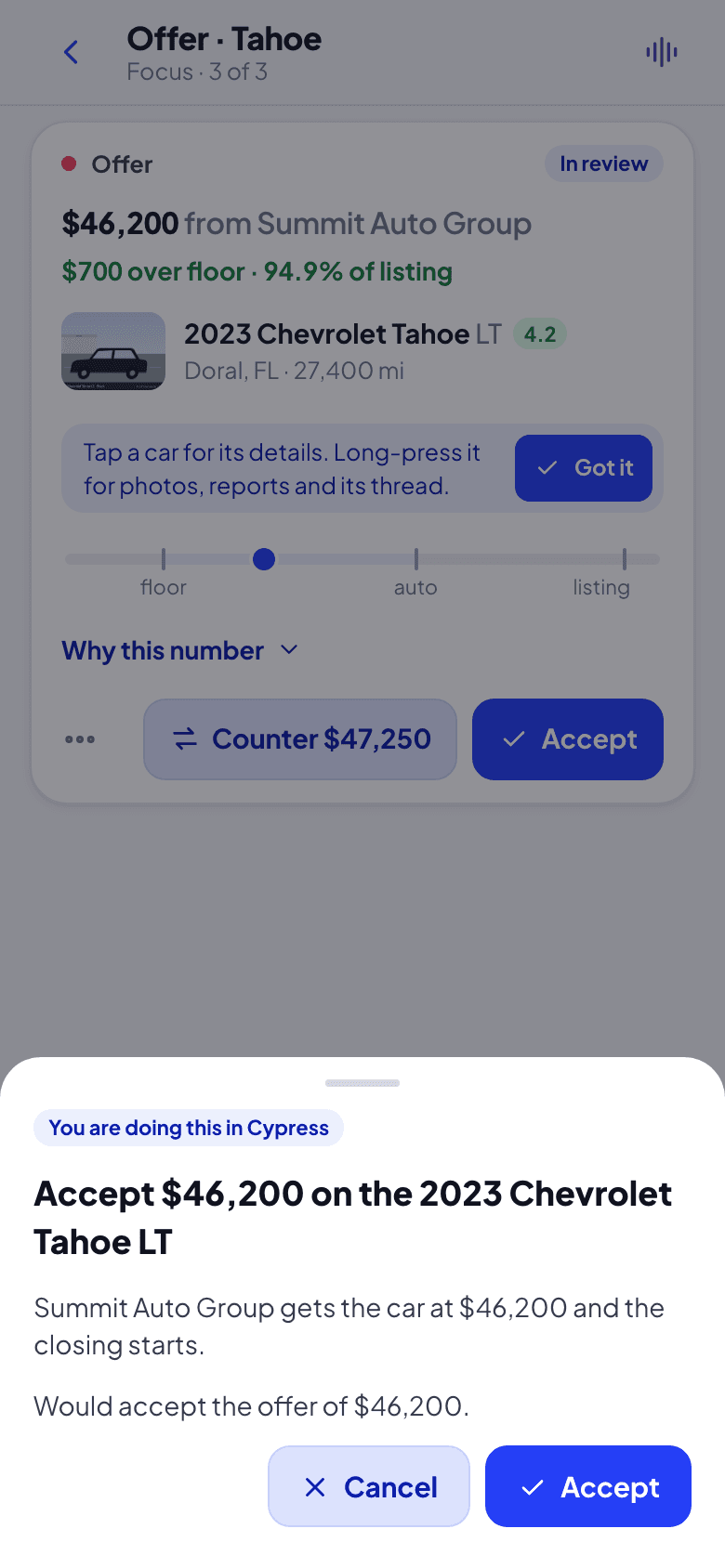
Read the confirm and click it. The confirm says what Cypress will do, in plain words: "Summit Auto Group gets the car at $46,200 and the closing starts." for an accept, "… has 48 hours to answer your counter on the …" for a counter, with an optional message. Nothing has changed yet: Cypress was only asked what would happen. Click Accept (or Send counter, Decline) to do it, or Cancel.
What happens next
An accepted offer is binding: Cypress declines the other open offers on the car and the closing starts. Its lane appears in Huddle under Deals, with Sapele, where each step is worked: see Work a closing. A counter waits 48 hours for the buyer; the card updates when they answer, and the thread says how it ended.
If something goes wrong
- The confirm says "Accept below floor" with "This is $… under your floor of $…. Only you can decide that; Cypress records that you confirmed it here." You are accepting under your floor. Only your fleet manager or admin sees this; Cypress records that it was confirmed in Grove.
- Cypress refuses at the confirm. The offer changed in the meantime (the buyer withdrew, someone answered it in Cypress). The card says why and updates; nothing was done.
- No Accept on a card while acting for an organization. The organization has not let Cypress answer offers in review, or the offer is below the floor. See Act for an organization.
Install Grove and keep it up to date
Put Grove on your phone or computer so it opens from its own icon, like an app, and gets notifications; how Grove tells you a new version is ready, and how to check yourself.
Import a spreadsheet of cars in Grove
Send a CSV or Excel file to Cedar, check the columns and anything Cypress flags, read every car the import adds, updates or archives, then run it.