Talk with Cedar and your team
The huddle, Cedar's own room, threads, conversations and deal lanes; how to ask Cedar in writing or out loud, and what its cards are.
TL;DRAI summary
This chapter explains how to use Cypress's chat features to communicate with Cedar, your AI assistant, and your team. You'll learn how to ask Cedar questions about your vehicles and tasks, and how to act on its responses.
For: Everyone in Grove
Before you start
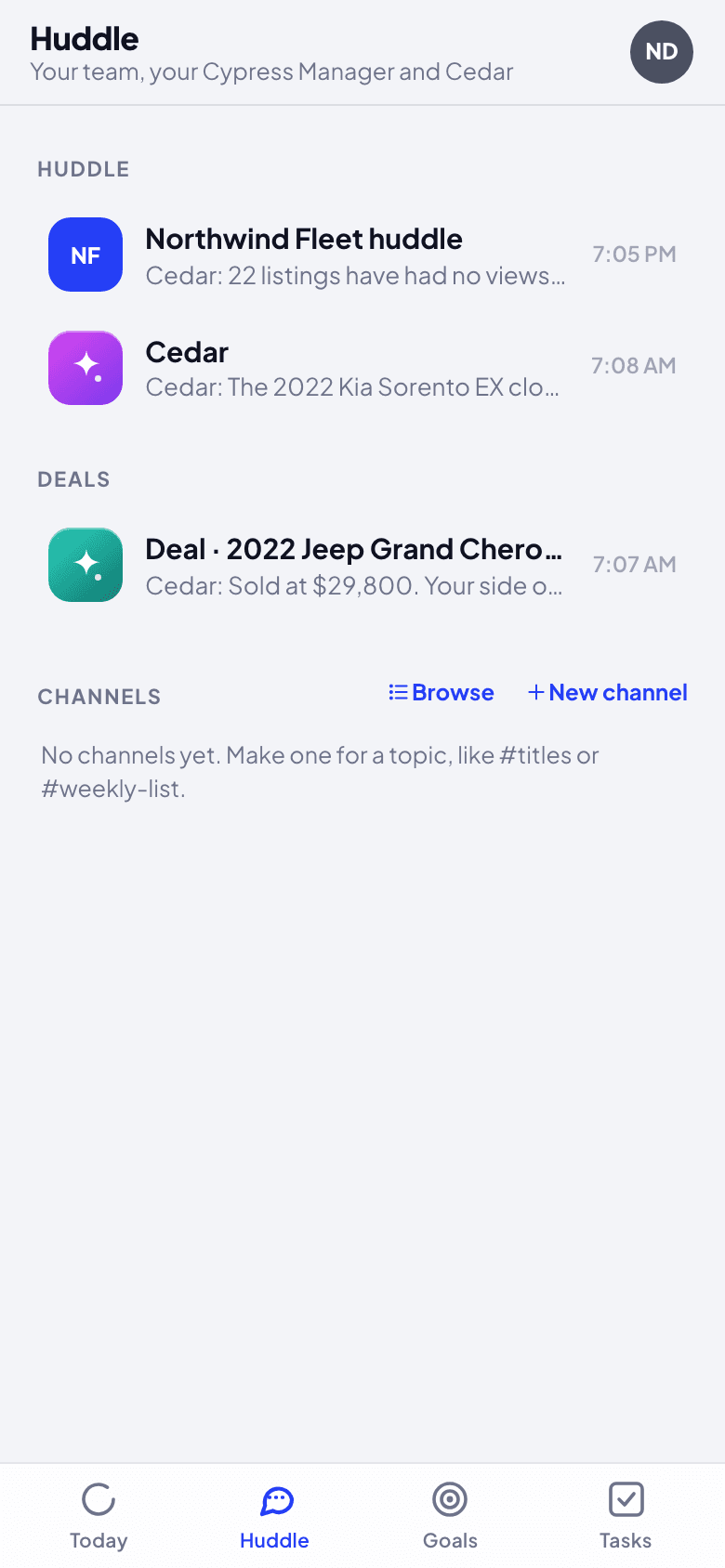
Huddle holds every room you are in:
- Your organization's huddle: the whole team, your Cypress Manager and Cedar. Cedar answers here when you write @Cedar, in a thread under your message, so the huddle stays readable.
- Cedar: just you and Cedar. Cedar answers everything you write here.
- Seller Hub: a conversation per car you sell, with its offers (Cypress's Seller Hub).
- Buyer Hub: the cars you are buying and your buy targets (Cypress's Buyer Hub).
- Post-sale: one lane per sale in closing, where Sapele works the steps (write @Sapele to ask it). An organization that both sells and buys sees Post-sale · Selling and Post-sale · Buying.
- Conversations: one per topic or goal. Cedar is in each.
Steps
Open Cedar and ask in plain words: "Which closing is most overdue?", "How many offers are waiting for me to answer?", "Show me the RAV4". Cedar reads Cypress as you and answers in a sentence or two, with the one number that matters. When there is something to act on, the answer comes with a card.
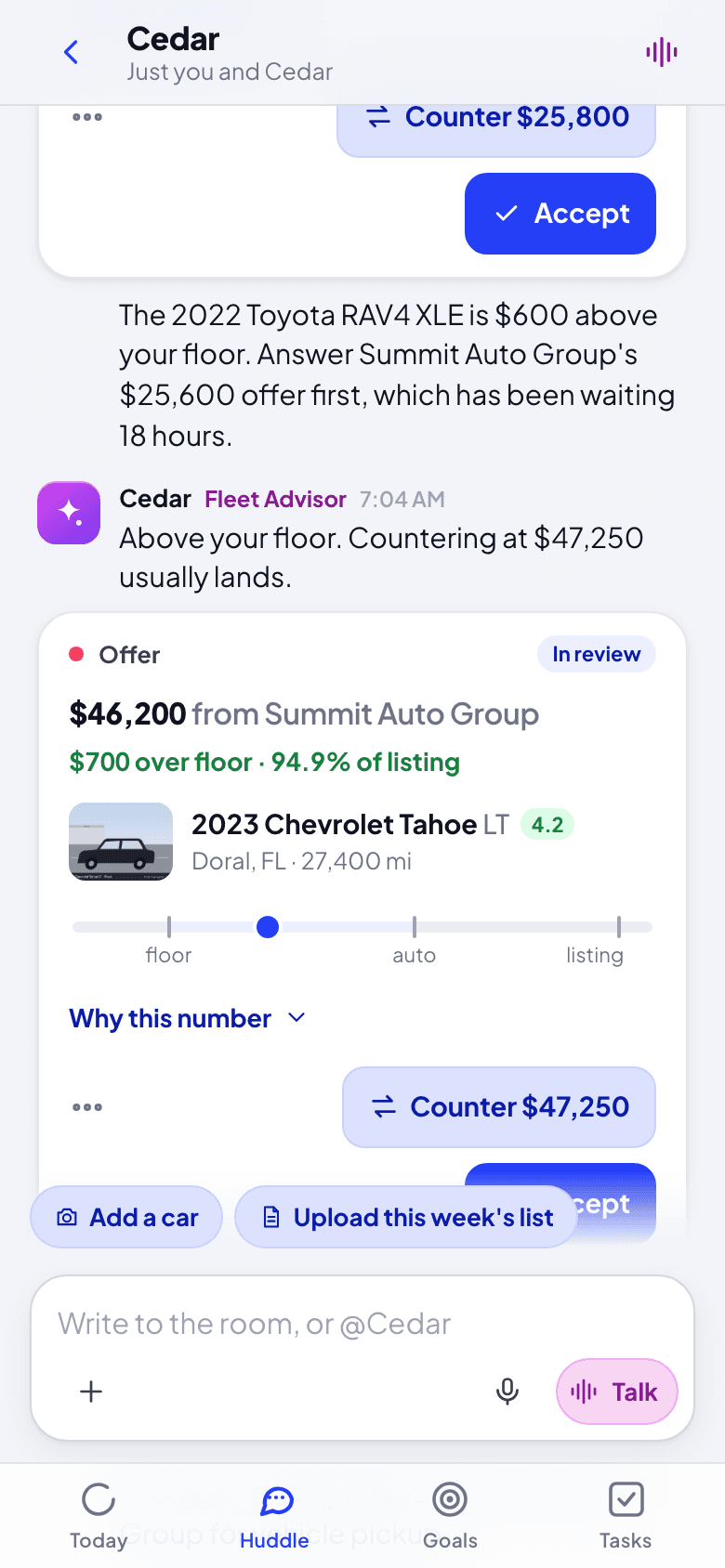
Act on the card, or keep talking. Every card button asks you to confirm before anything happens (see Answer an offer). Below the composer, Add a car and Upload this week's list start an intake.
Send more than words: Add a photo, camera shot or file (a photo of a VIN, a dent, a document), Record an audio note, or click Talk to speak with Cedar. In a voice conversation Cedar answers out loud in a sentence or two and puts the card on screen; you confirm on the card, never by voice.
Hold a message (or right-click it) for its menu: react (Agree, Done, Thanks, Looking, Question, Great), Reply in thread, Copy text, Make a task, and Edit or Delete your own. On Cedar's answers the menu also has Why Cedar said this and Correct Cedar.
What happens next
Cedar keeps track of the conversation in each thread, remembers you across threads (see Profile for what it remembers, and Forget all), and shares team facts your organization taught it. A task made from a message stays tied to it, and closes when the person says it is done.
If something goes wrong
- Cedar does not answer in the huddle. It answers there only when you write @Cedar (or in a goal's thread). In its own room it always answers.
- "I could not finish that just now. Try again in a minute." The model was busy and the backup could not answer either. Nothing was done; ask again.
- An answer looks wrong. Hold it and choose Correct Cedar: see Teach and correct Cedar.
Get drafts ready and take them live
Every draft with what it still needs (a cover photo, its condition checked, mileage, a lot, a floor), fixed on one card; then Go live with the ready ones through your pricing rule, which the card previews.
Work a closing in its deal lane
Each sale in closing has its own lane with Sapele and a card for every step: Deal Setup, the commission paid by card, the bill of sale, funds, gate pass, title, pickup and the closing complete, each done by the right person.