Grove
The team app for Cypress. Your team, your Cypress Manager and Cedar in one calm place, a brief each morning, decisions on cards, and an agent you can teach and correct.
TL;DRAI summary
Grove is your team's mobile app for Cypress, helping you make quick decisions and manage daily tasks. It connects to Cypress to show you relevant information and guides you through sales or purchases.
Grove is the team app for Cypress. It is where a fleet's people, its Cypress Manager and Cedar work together each day: a short brief every morning, the decisions that need you as cards you answer in one tap, a huddle for the team, a lane for every deal in closing, and an agent, Cedar, that does the reading and the arithmetic so you only decide.
Grove keeps nothing of its own about your cars, offers or deals: Cypress is the record. Grove reads Cypress as the person signed in, with that person's role, and every change goes through Cypress's own rules (the floor, who may accept, what a Cypress Manager may do for you). A card asks you to confirm before anything happens, and a decision that belongs to a person always stays with a person.
Quickstart
Your first ten minutes: sign in with Cypress, read the brief, answer one decision, ask Cedar a question.
What you can do
By role, seller, buyer and Cypress Manager, everything Grove does and what you can ask Cedar.
Journeys
What you set out to do with Cedar, start to finish, each with a short walkthrough: what needs you, sell or hold, getting a car live, buying.
See it work
Three stories recorded live, with Cedar explaining each step: a car from a spreadsheet to sold, a morning with the team, a first day.
How-to guides
Step by step, with screenshots: offers, closings, buying, the quarter, tasks, and teaching Cedar.
Glossary
Every word Grove uses, from Asks to Zen, in one place.
How it fits together
- One account. You sign in with your Cypress account. An admin connects the organization to Grove once; after that, everyone in it signs in the same way, and a Cypress Manager picks the organization to act for.
- The same numbers. Today's tiles are Cypress's dashboard numbers, worked out by the same code, and the brief refreshes when Cypress changes.
- The same rules. Grove asks Cypress first (a dry run) and shows you what will happen; it does it only after you confirm, and Cypress can still say no.
Who it is for
| You are | Grove gives you |
|---|---|
| A fleet manager or admin (seller) | Offers ranked for you, closings step by step, cars added from a VIN photo, the quarter's sell plan |
| A buyer | "I'm looking for…" turned into a target, the cars that fit, sellers' counters, purchases in closing |
| A Cypress Manager | Every organization you manage, acting for one at a time, with what it lets Cypress do |
On a phone, or a computer
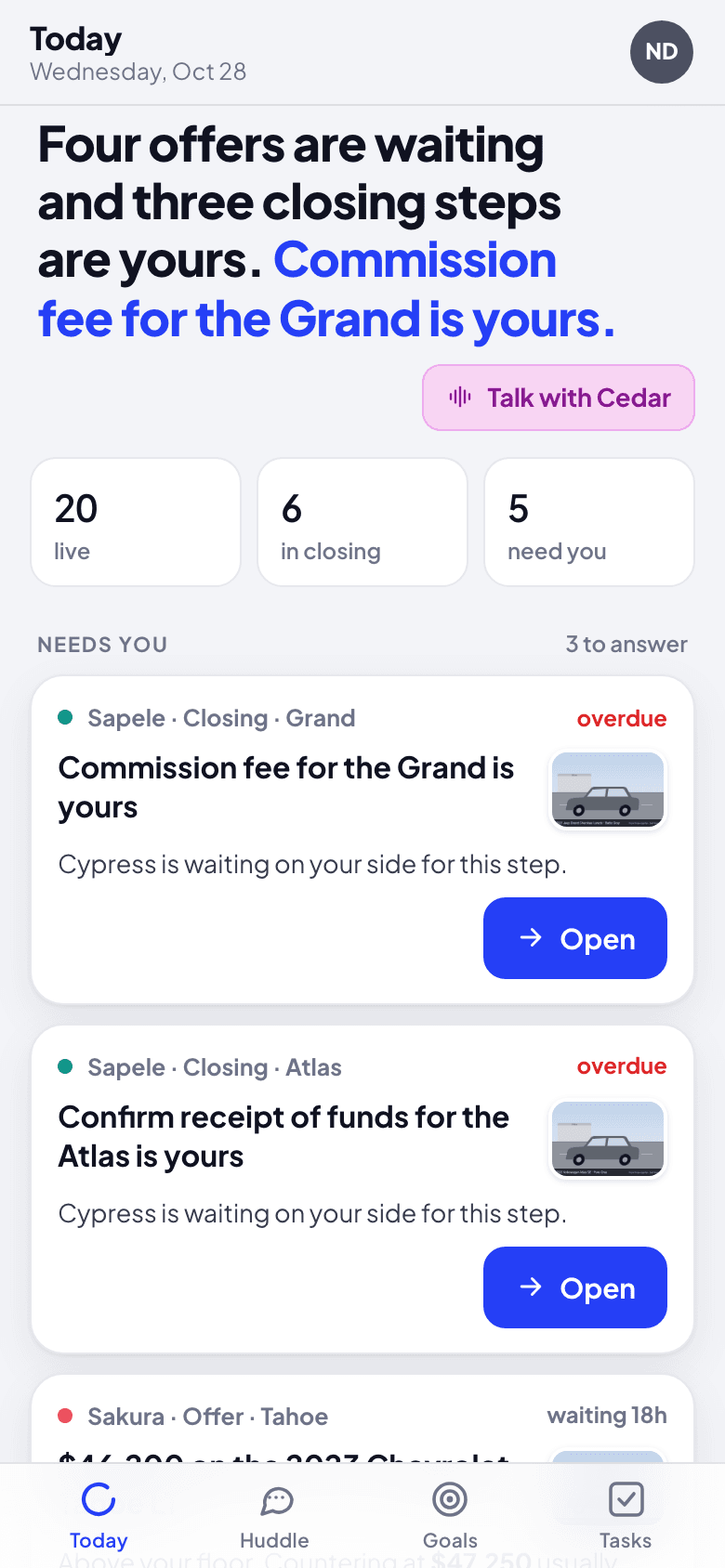
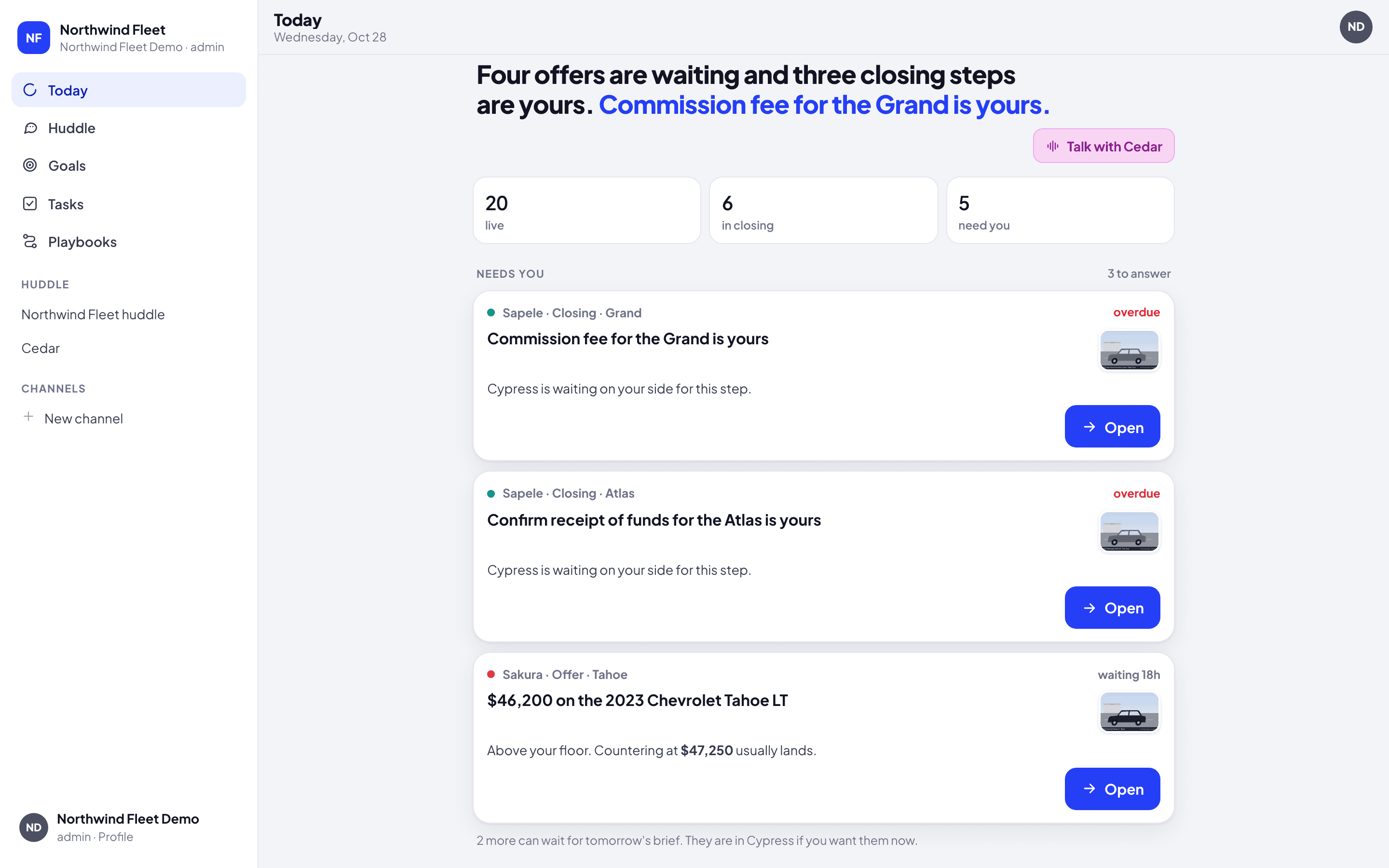
Grove is made for the phone first: the places sit in a tab bar at the bottom (Today, Huddle, Goals, Tasks), and you hold a message or a car for its menu. On a computer the same places sit in a sidebar, with your rooms under them, and a right-click opens the menu. The guides show the phone.
How Cedar can help here
Cedar is the same advisor you know from Cypress, working on its own here: it reads Cypress for you, works the numbers out, and brings a card you confirm. It answers in about two seconds, and you can ask it Why it said something or Correct it. See Teach and correct Cedar.