Make and counter offers
Track your offers in the Buyer Hub, accept a seller's counter, counter back, or withdraw — as a buyer or as Cypress acting for one.
TL;DRAI summary
This chapter explains how to make and respond to offers for vehicles you want to buy. You'll learn how to accept, counter, or withdraw offers in your Buyer Hub. This helps you secure vehicles at your desired price.
For: Buyers · Cypress Managers acting for a delegating buyer org
Before you start
- The Buyer Hub's grid is offers, not vehicles — each row is one negotiation with its live status: Submitted, Countered, Accepted, or closed history.
- A Cypress Manager sees every buyer org's offers here without any setup — that's a read-only, platform-wide view. Acting on one is different: it needs the acting-for lens set to that buyer's org and the org's own "Let Cypress make offers as us (off by default)" delegation — see Act on behalf of an organization.
- You have three moves on a live thread: accept a counter, counter back, or withdraw. One live offer per vehicle per buyer — raise your number by countering your own thread, not by stacking a new one.
Steps
Open Buyer Hub. A buyer sees only their own offers; a Cypress Manager sees every buyer org's, with a Buyer column naming whose it is.
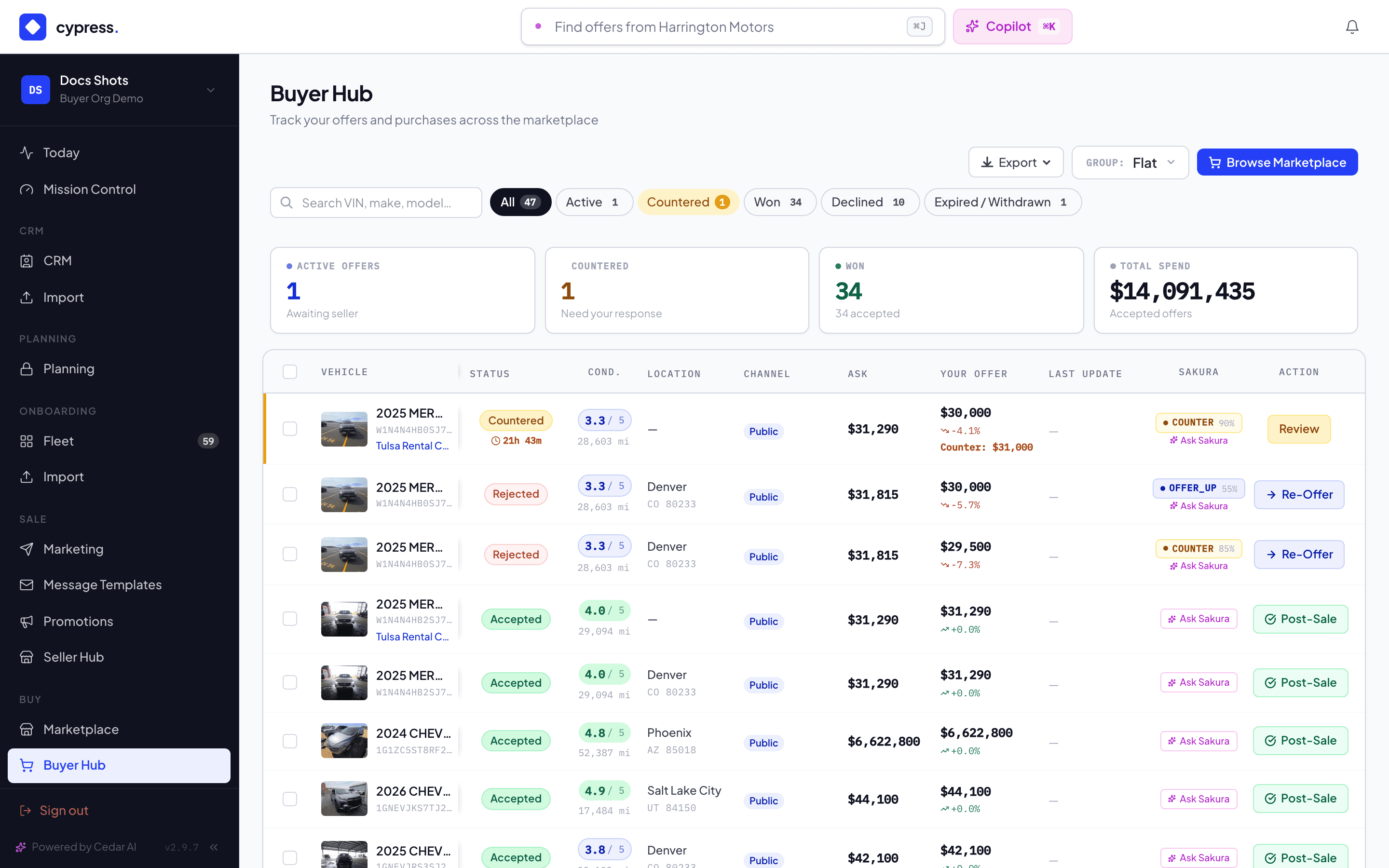
Click a Countered row to open its detail panel. The amounts, the seller's note, and the 48-hour clock are all here.
To negotiate, expand Send a Counter, enter your new amount and an optional message, then click Send counter.
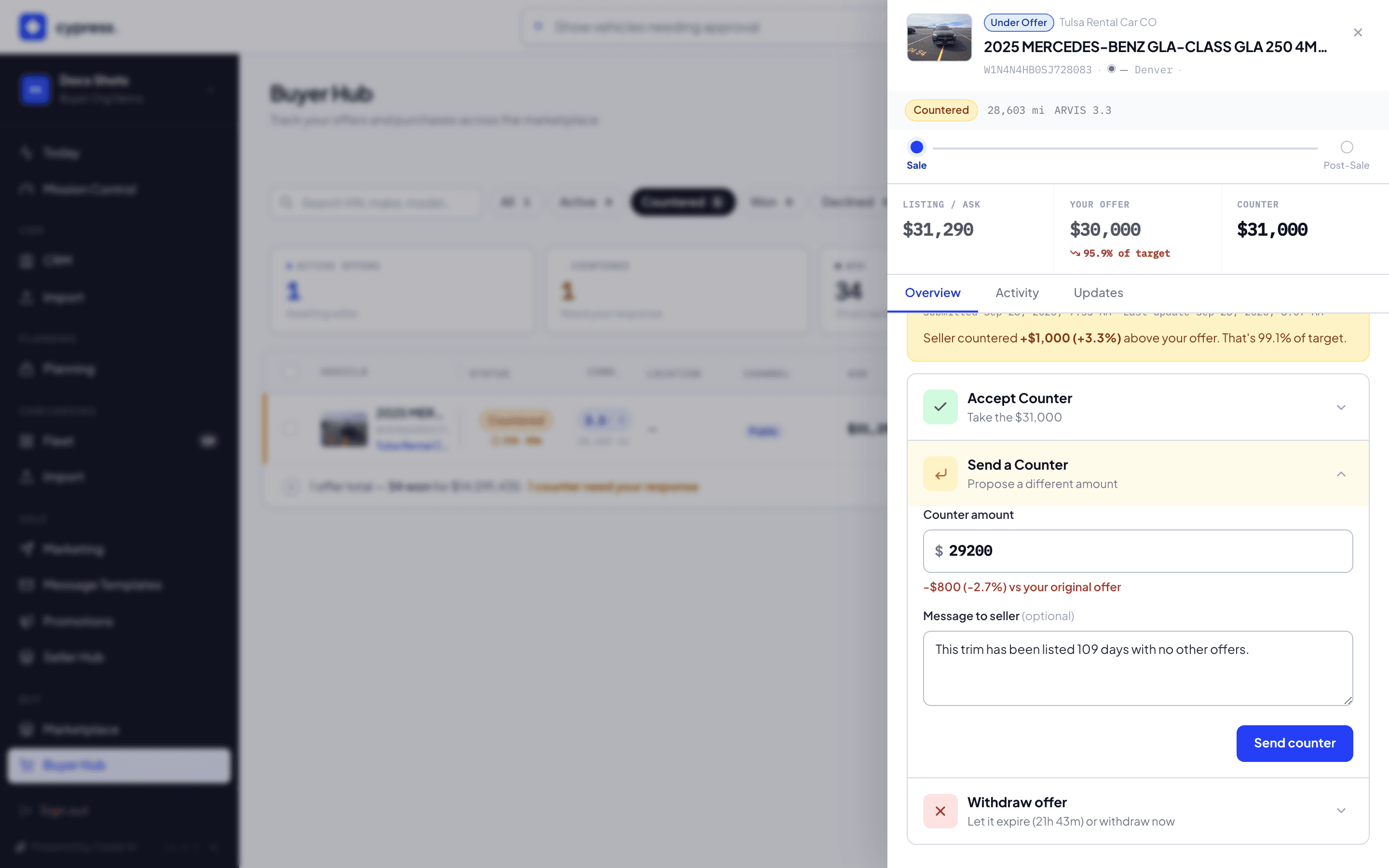
To close it out instead, expand Accept Counter, confirm the checkbox, and click Accept and close — or expand Withdraw offer and click Confirm withdrawal.
What happens next
Accepting a counter moves the offer to Accepted and hands off to the closing at that amount; a toast confirms it ("Offer accepted at $30,000", naming the actual amount). A sent counter restarts the 48-hour clock on the seller's side. A withdrawn offer closes cleanly — the vehicle stays available to you later, and a "Offer withdrawn" toast confirms it.
If something goes wrong
- "Select an organization to act for (use the acting-for bar) before buyer actions." — a Cypress Manager tried to act without the acting-for lens set to the buyer's org.
- "This organization has not delegated buyer actions to Cypress." — the lens is set, but that org hasn't turned on the buy-side delegation; only their own buyer can act until they do.
- "Offer is not in COUNTERED state" — the seller's counter already expired, was withdrawn, or was already accepted elsewhere; the panel is showing stale state — refresh.
- "Counter offer has expired" — the 48-hour clock ran out between opening the panel and clicking accept.
- "Offer cannot be withdrawn in its current state" — it already moved on (accepted, expired, or already withdrawn).
Ask Cedar
- Offers & opportunities — "Summarize offers and buying opportunities."