Answer offers and counters
Accept, counter, or reject an offer sitting in the review zone — and read the recommendation before you decide.
TL;DRAI summary
This chapter explains how to respond to offers on your vehicles. You will learn how to accept or reject an offer, or counter with a different price, and what happens after you make a decision.
For: Sellers (fleet managers, org admins) · Cypress Managers acting for a delegating org
Before you start
- Every reviewed offer belongs to the seller's Fleet Manager by default. An org can delegate negotiation (countering) under the lifecycle switch, and accept/reject decisions in the review range under a separate switch — see Offers, counters & Buy Now.
- An offer below the floor can only be accepted by the seller's own Fleet Manager, no matter what delegation is on.
- Only offers in new, reviewed, or countered states can be acted on — anything else has already been resolved.
Steps
Open Seller Hub, click into a vehicle, then its Offers tab. Use Needs Action to see what's actually waiting on you.
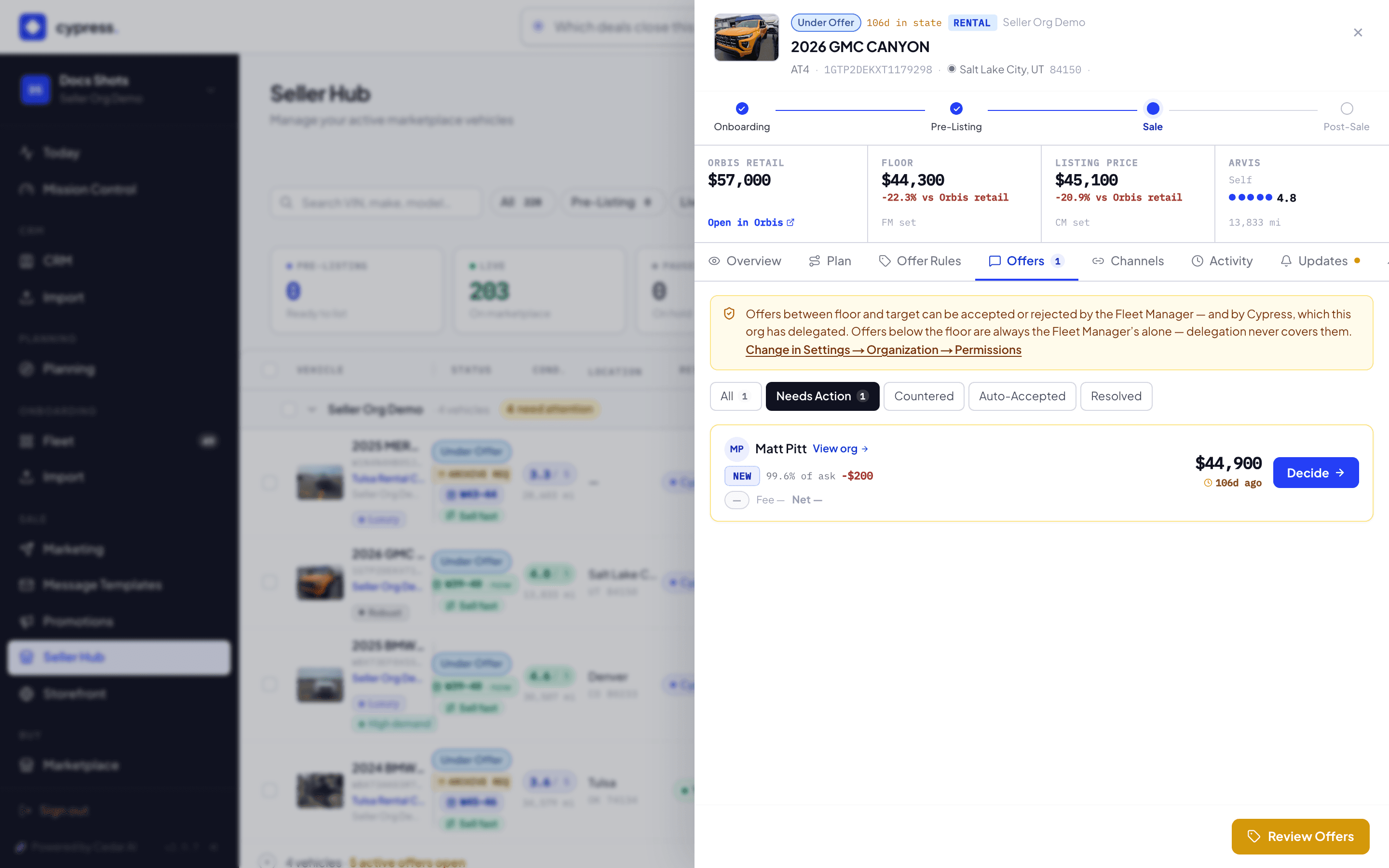
Click an offer to open its decision panel. The Offer check card reads the amount against your floor and listing price and recommends accept, counter, or reject.
To negotiate instead of deciding, expand Counter, enter an amount and an optional message, then click Send counter. This starts a 48-hour clock on the buyer's side.
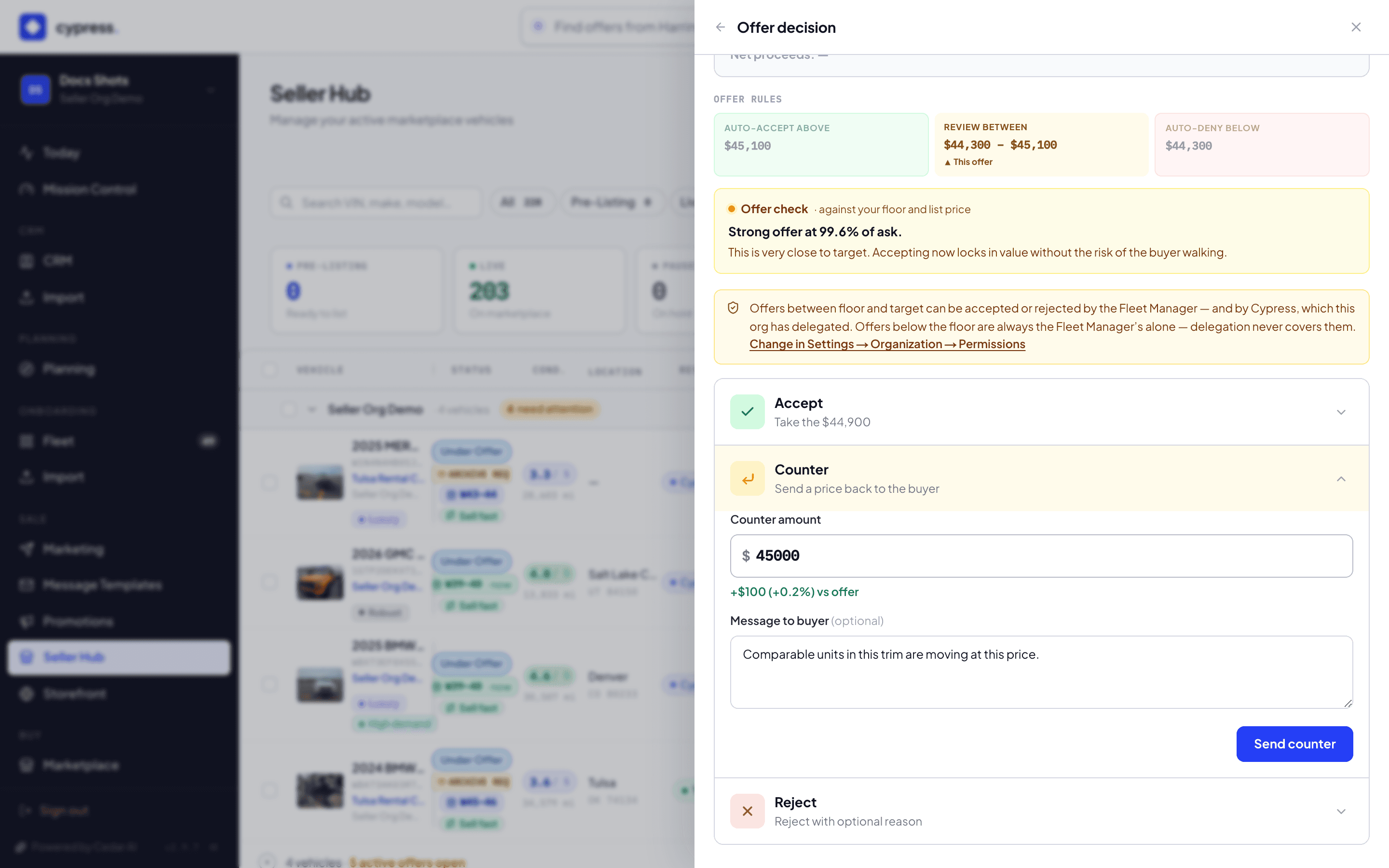
To close it out, expand Accept, confirm the checkbox, and click Accept and close listing — or expand Reject, pick a reason, and click Reject offer.
What happens next
Accepting is binding: every other open offer on the vehicle is declined automatically, and the closing opens at that amount. A sent counter waits for the buyer to accept, counter back, or let it expire; if nothing else is active when it expires, the vehicle returns to live. Every decision — instant or manual — writes to the vehicle's Activity tab with the reasoning.
If something goes wrong
- "This offer is below your floor price — accepting it waives the floor for this sale." — shown before you confirm; accepting anyway is allowed and is logged as below floor — waived by FM.
- "FM decision required — sell decisions not delegated" / "FM decision required — below floor" — a Cypress Manager sees this instead of Accept/Reject when the org hasn't delegated review-range decisions, or when this particular offer is below the floor (which no delegation ever covers). Countering may still be available.
- Reject offers a "Silent decline — don't notify the buyer." checkbox — use it for spam, not for a real negotiation you want the buyer to learn from.
- "This offer is rejected — no further actions available." (the status word matches whatever it resolved to) — the offer already resolved elsewhere; there's nothing left to decide.
Ask Cedar
- Needs a decision — "Which offers need a decision from me right now, with the key numbers?"
- In review — "Which offers are in the review zone between thresholds?"