Build an automation
Create an automation, wire a trigger to a condition and an action, then dry-run it before it ever touches production.
TL;DRAI summary
This chapter explains how to build an automation to streamline your remarketing tasks. You'll learn to combine triggers, conditions, and actions to automate vehicle, contact, business, or deal processes. Always dry run your automations before publishing to avoid unintended actions.
For: Cypress Managers
Before you start
- An automation is three node families: Triggers start a run, Conditions filter, Actions do. See Automations for the full grammar and five ready-made recipes.
- Every automation fires on one record type — a vehicle, a contact, a business, or a deal — chosen on the trigger. The node palette offers only what fits that choice.
- An automation also has a Works in setting (Operation, Planning, Remarketing, Post-sale). New automations work in Remarketing, the whole Sell side. Change it only for an automation that works on planning stock; see Automations and Planning.
- An automation also runs for every organization (the default) or only the organizations you choose, in its panel's Runs for setting. An automation for chosen organizations runs on their records only, and a fetch in it reads only their stock. An automation for everyone skips demo organizations; a demo organization you choose is run for.
- An automation can start from an offer (Offer Received, or Offer Accepted, which runs for every accepted deal) and can act on the channel the offer came through. See The offer triggers and, for a recipe, Sales channels in automations.
- Dry run first, always. It runs against real records with zero writes, showing exactly what each node would have done. No automation should meet production without one.
Steps
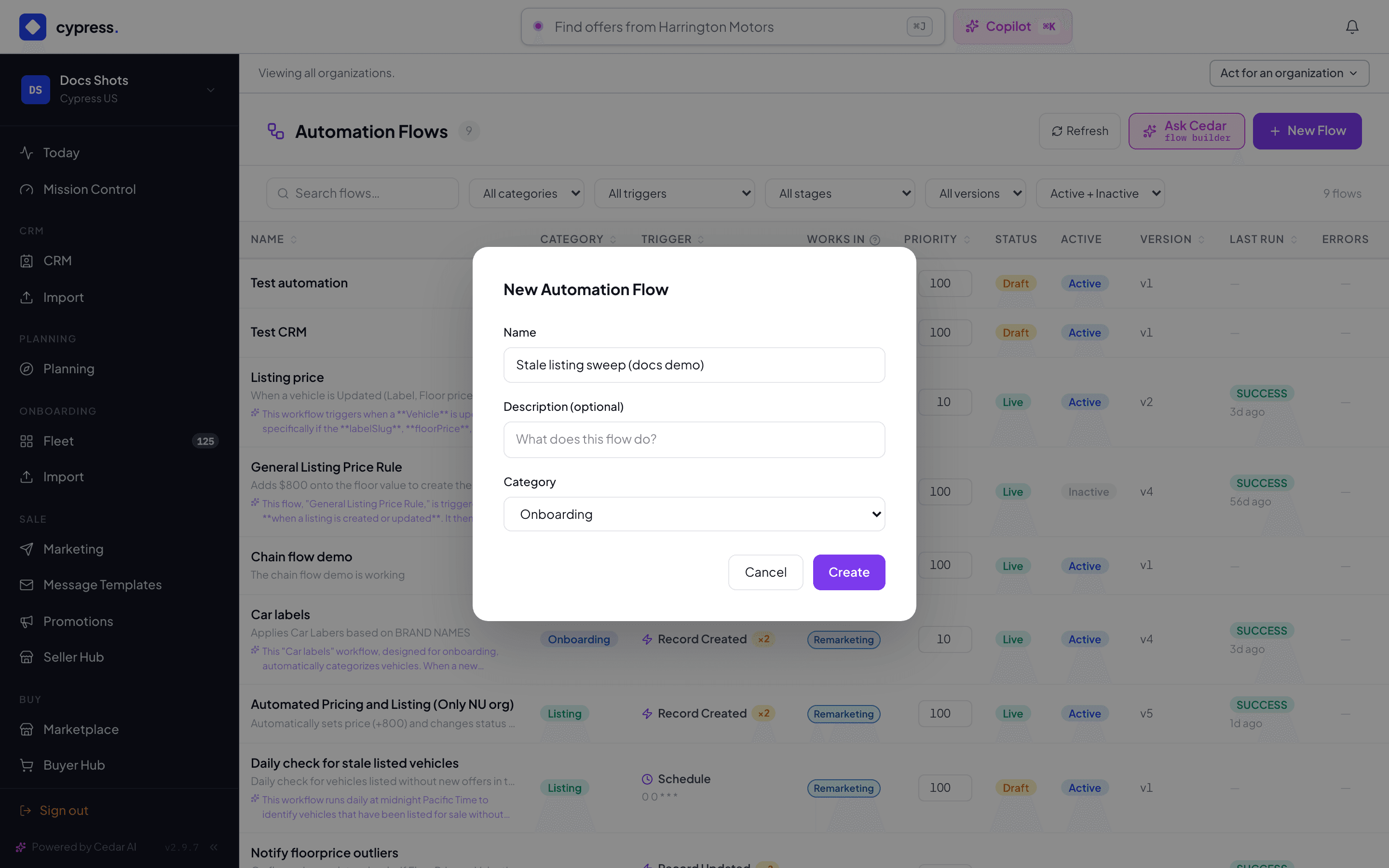
From Admin → Automation, click New Automation. Give it a Name, an optional Description, and a Category, then click Create.
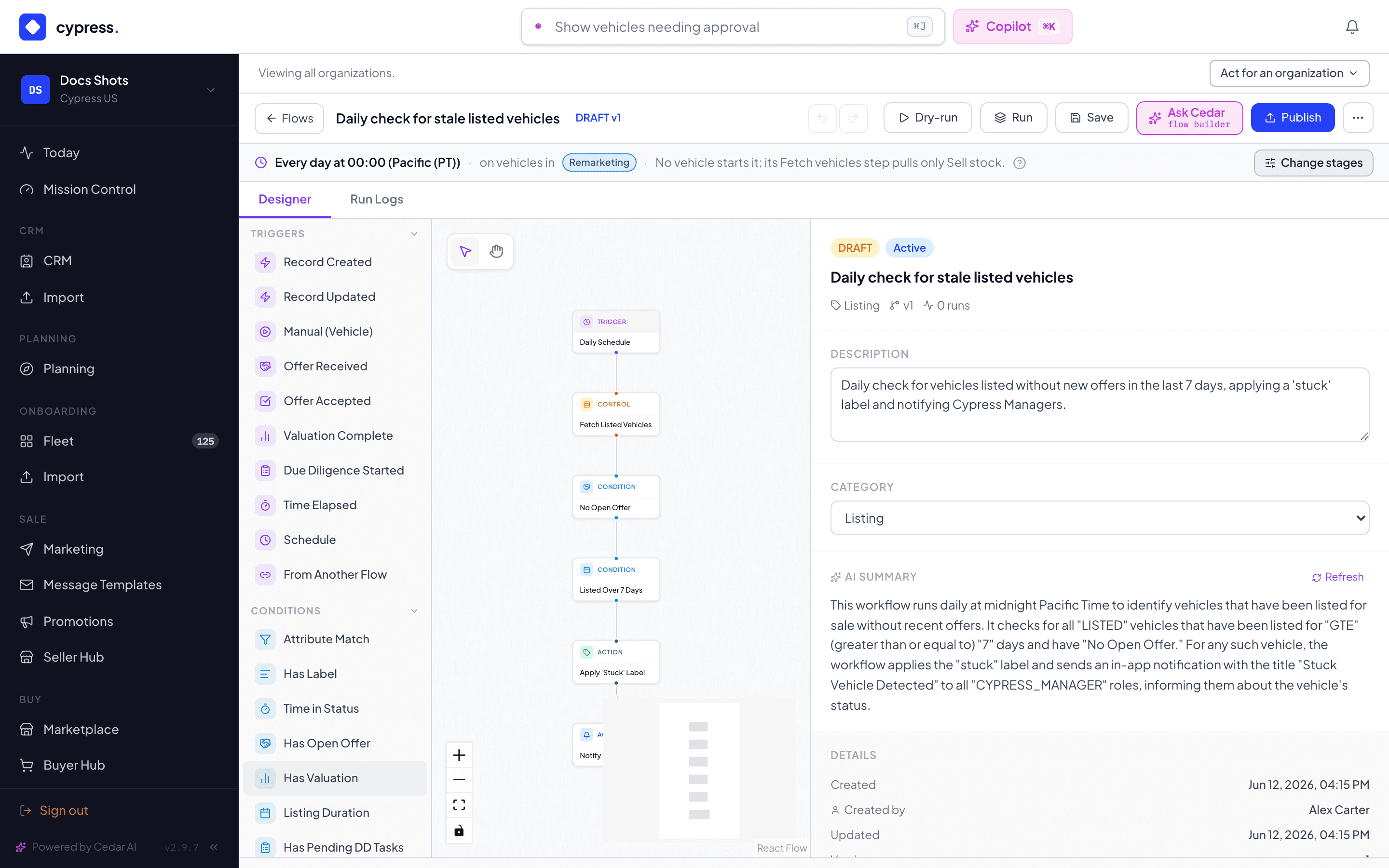
On the canvas, drag a trigger from the palette's Triggers group — for example Time Elapsed — onto the canvas, then add a condition and an action the same way. Connect them in order: trigger → condition → action.
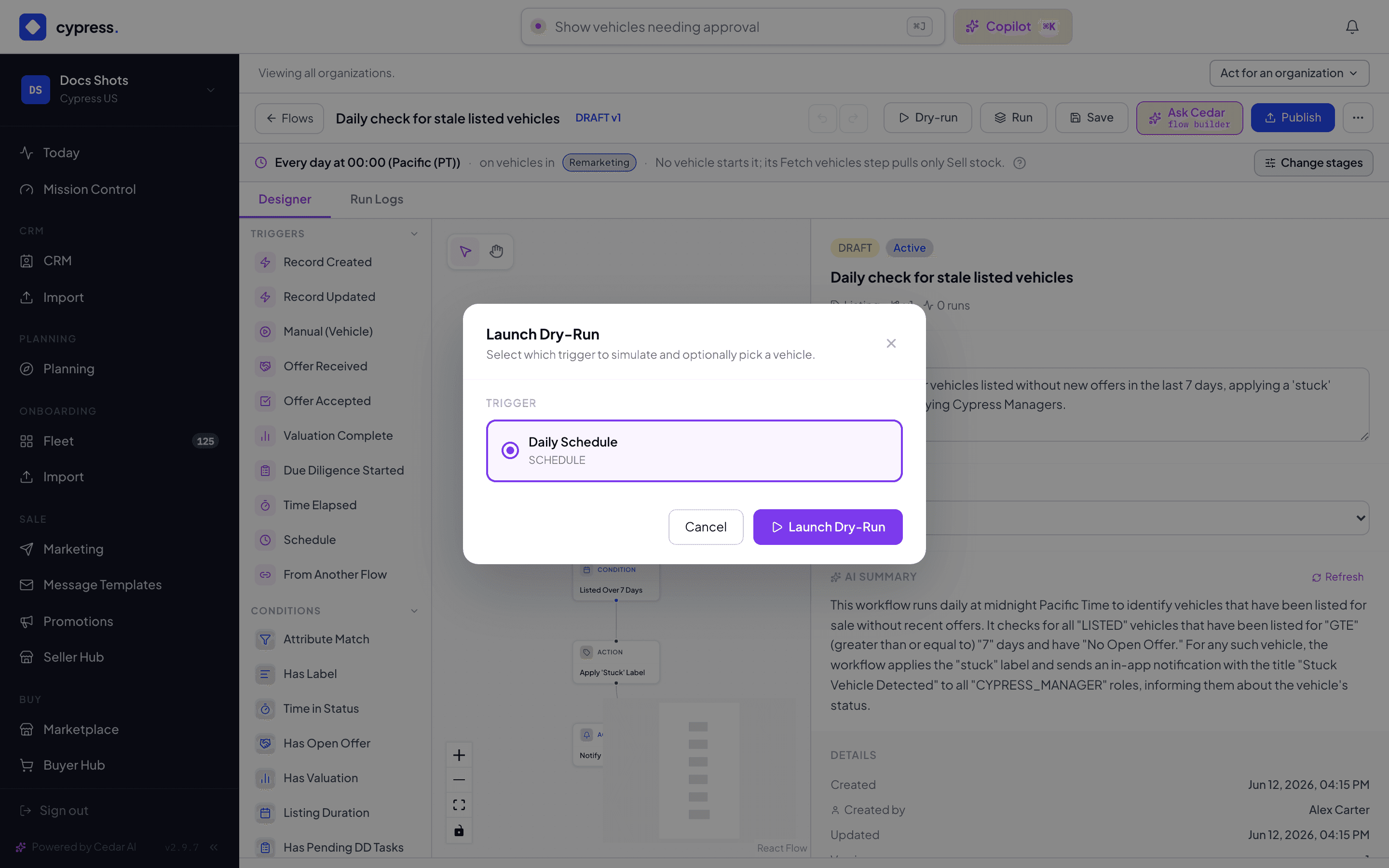
Click Dry-run in the top bar. Pick which trigger to simulate and, optionally, a vehicle to test it against.
Review the dry run's per-node result — what matched and what each node would have done — before you ever click Publish.
What happens next
Publishing freezes a version; further edits build the next draft, and rollback re-publishes any prior version. If several published automations share a trigger, a conflict surfaces at publish time and priority (lower runs first) settles the order. Every run — dry or real — is recorded: which records were evaluated, which were acted on, and each condition's actual decision.
An organization's own automation waits for you. An organization's people, apps and agents can build automations through the API (when Cypress has switched its Automations product on), and Cedar builds one for a member who asks; none of them runs until a Cypress Manager publishes it. The hub's Awaiting review filter lists the ones submitted. Open one, dry-run it, then Publish to approve it (it then acts as that organization's account admin would) or Send back with a note on what to change. The organization is told either way.
If something goes wrong
- "Select a vehicle to simulate this trigger." — a manual dry run needs a vehicle chosen before Launch is enabled.
- A record-type mismatch hides the wrong actions rather than erroring: a contact-triggered automation simply never offers Apply Label or Set Floor Price in the palette, and publish refuses them if the trigger's record type changed after they were added.
- Dry-run and Run are disabled on a CRM automation (contact, business, or deal trigger) — those are exercised by their real events instead.
- An automation that works on planning stock, or starts from a plan event, follows stricter rules (a plan event runs only the automations that name it, and publish refuses some steps). They are stated once, in Automations and Planning.
- A step that sets sales channels, or a condition on the channel of an offer, has its own refusals; they are listed in Sales channels in automations.
- Automation chains (
RUN_FLOW) cap at three hops; a longer chain is refused at publish, not left to loop.
Ask Cedar
- What is running — "Summarize my automations — which are active, what each does, and when they last ran."
- Recent failures — "Which automation runs failed or closed partial recently, and why?"
- Build an automation — "Help me build a new automation. Ask me for the trigger, the goal and any conditions, then build it."