Act on behalf of an organization
Pick up the acting-for lens to work a seller's fleet, book and campaigns end to end.
TL;DRAI summary
This chapter explains how you can act on behalf of an organization in Cypress. You can switch to a specific organization's view to manage their fleet, promotions, and campaigns, with all actions recorded to their account.
For: Cypress Managers
Before you start
- You need the Cypress Manager seat — the acting-for lens is only offered to platform staff; a customer organization's own admin never sees it.
- Know which organization you're acting for — the picker searches by name.
- The lens only narrows what you already see; it grants nothing. What you may do for that organization still depends on its own delegation switches — see Delegation.
Steps
Click Act for an organization in the bar at the top of the app (it reads Switch once a lens is already active).
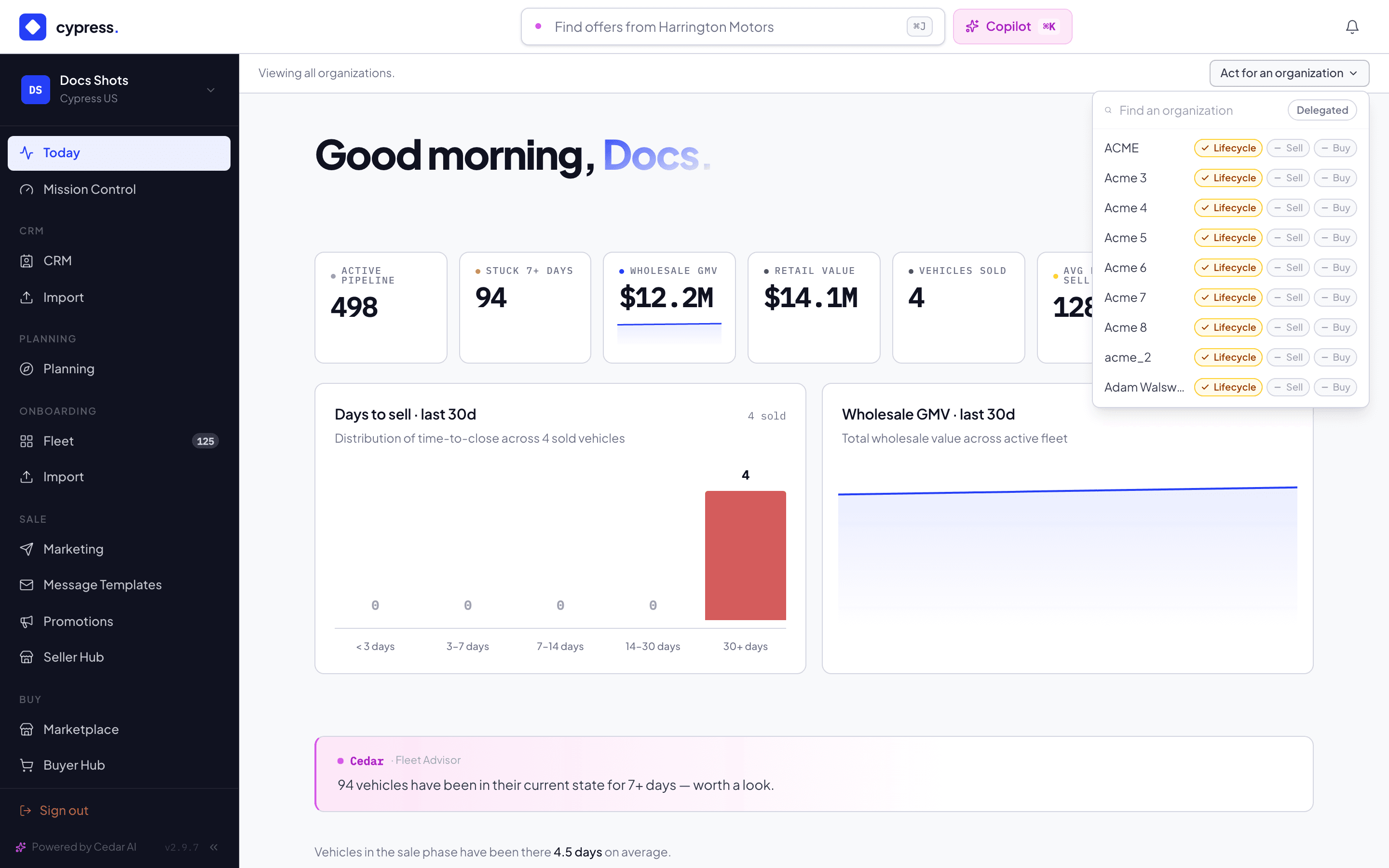
Type the organization's name into Find an organization and click it in the list. The Delegated filter narrows the list to organizations that granted at least one of the three lanes.
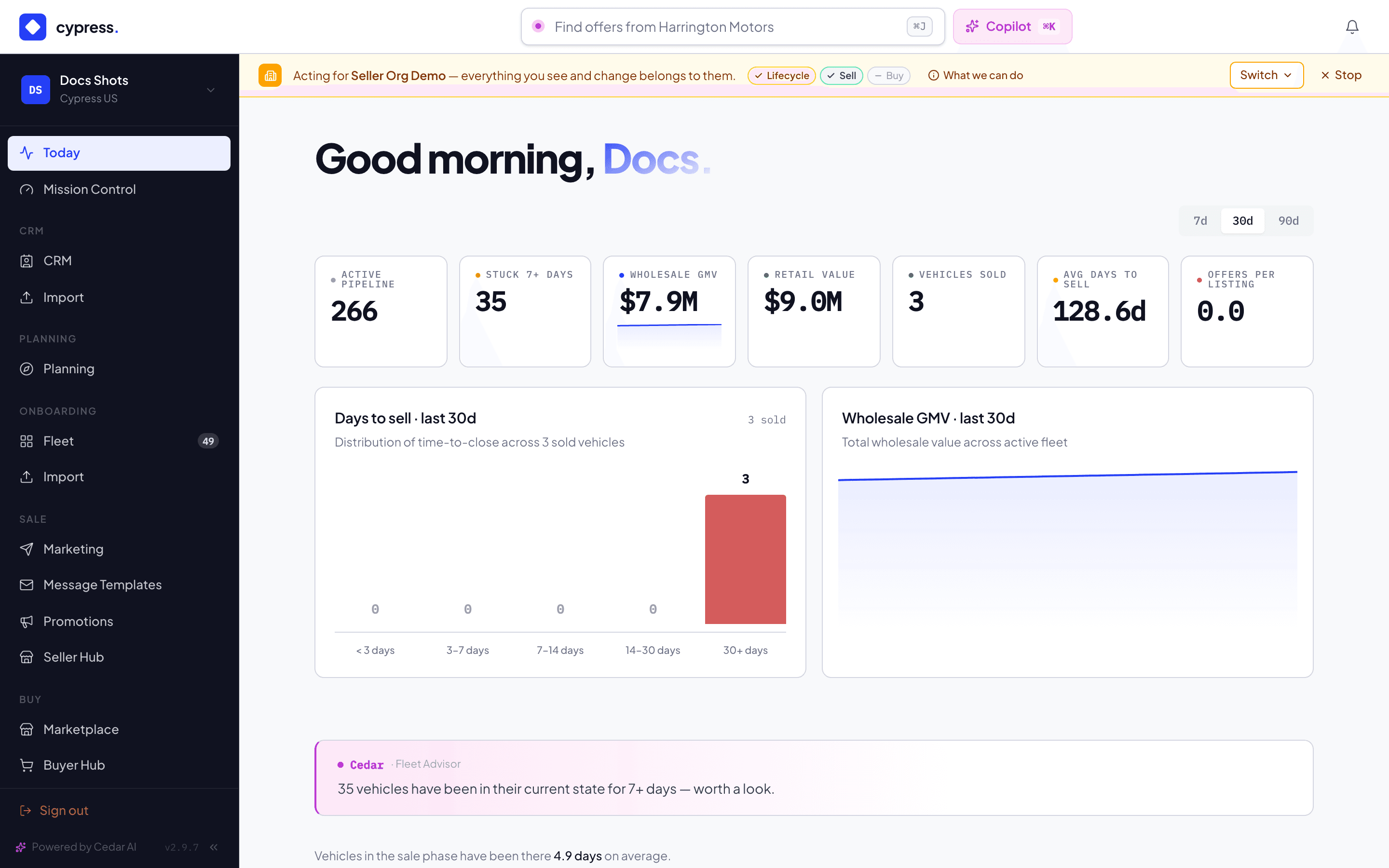
The page reloads and the bar turns amber: "Acting for [organization] — everything you see and change belongs to them." Every module — fleet, CRM, promotions, campaigns, Mission Control — now scopes to that organization, and anything you create belongs to them.
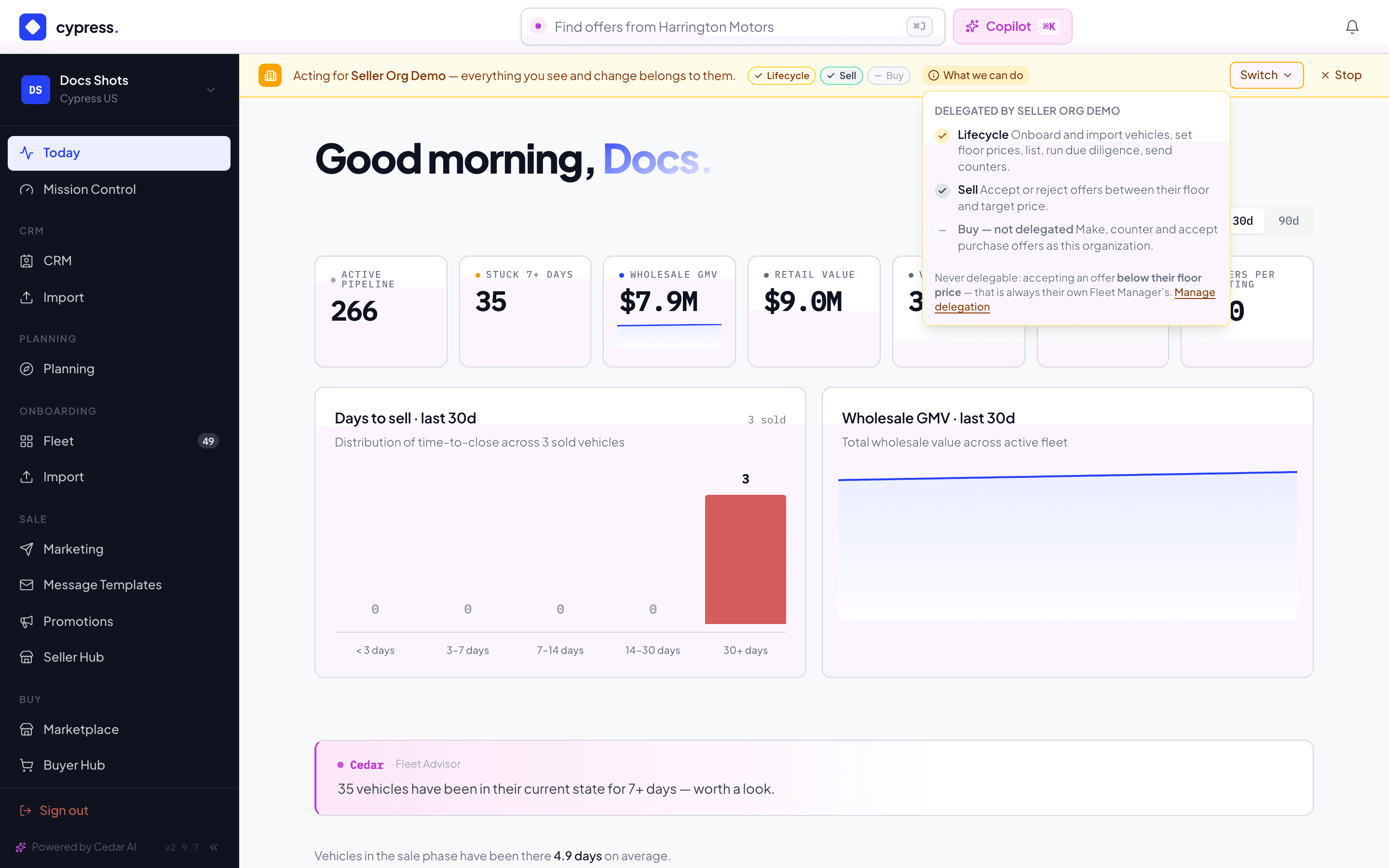
Click What we can do to see exactly which of the three lanes — Lifecycle, Sell, Buy — this organization delegated, before you attempt anything.
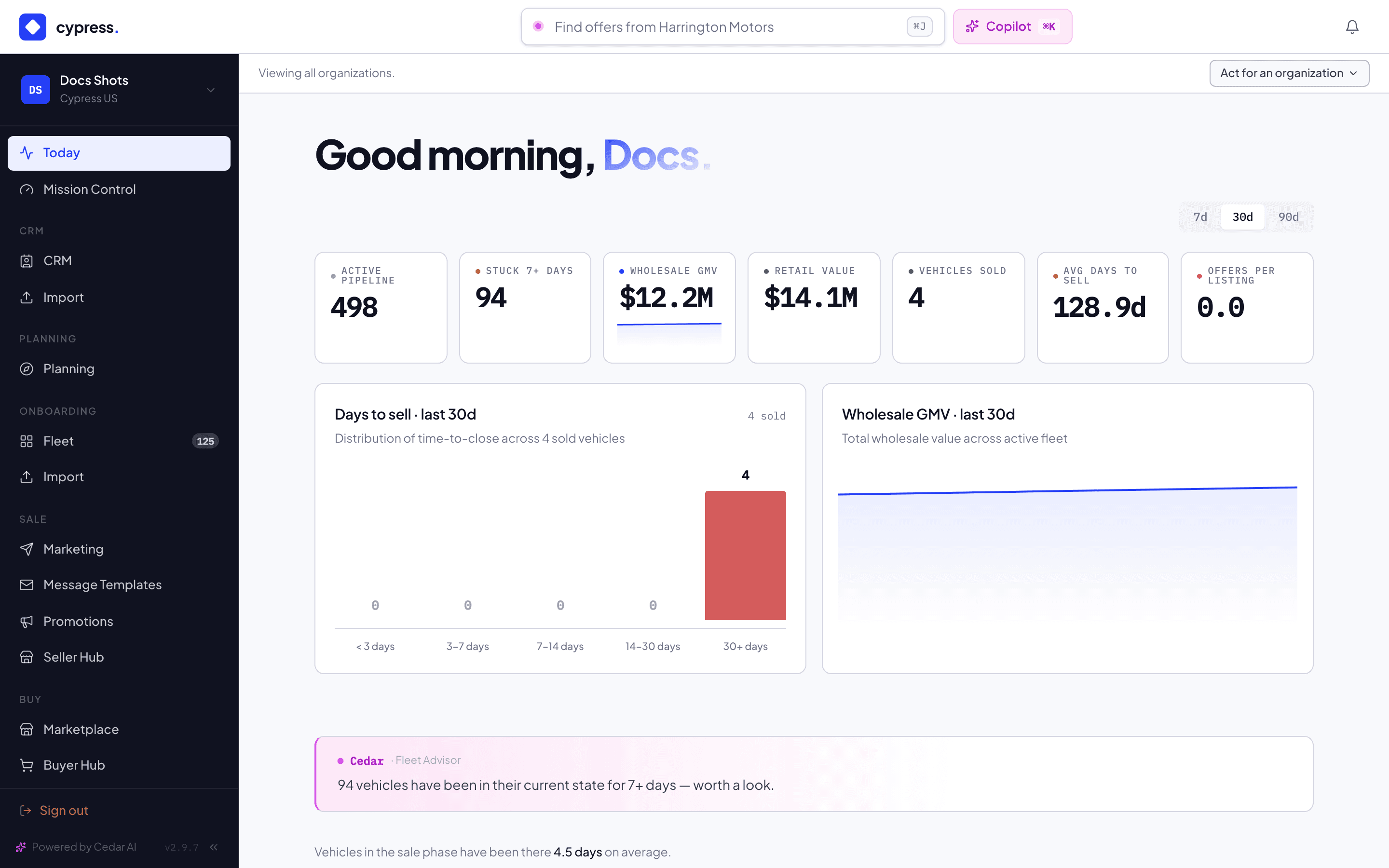
When you're done, click Stop to drop the lens. The bar returns to "Viewing all organizations."
What happens next
Everything you do while the lens is active is written to the organization's own record: every on-behalf action carries a Cypress · on behalf badge on the vehicle timeline, the offer history and the activity feed, and the organization's Fleet Managers are notified the moment a decision is made. Accepting an offer below the organization's floor price still requires their own Fleet Manager, no matter which lanes are delegated.
If something goes wrong
- "Only Cypress staff can act on behalf of an organization." — the picker itself is hidden for anyone who isn't a Cypress Manager, so this only fires on a forged request.
- "No such organization" — the organization was deleted, or stopped being a customer organization, since you opened the picker.
- A stale lens (the organization was deleted or changed type after you picked it) silently resolves to no lens — you land back on "Viewing all organizations" rather than an error.
Ask Cedar
- Onboarding to-dos — "What onboarding tasks need me — drafts missing data, valuation, condition or floor price? Keep it short."
- Pre-listing to-dos — "What pre-listing tasks need me — vehicles pending a listing price or offering rules? Keep it short."
- Offers to decide — "Which offers need a decision from me right now?"