Close a deal
Confirm Deal Setup, then walk the fixed six-step rail from accepted offer to vehicle pickup.
TL;DRAI summary
This chapter explains Cypress's six-step process for closing a vehicle deal, from confirming details to vehicle pickup. It helps you understand your role in each step, ensuring a smooth and successful transaction.
For: Sellers (fleet managers, org admins) · Buyers · Cypress Managers running the deal
Before you start
- Acceptance opens the closing; it doesn't complete it. Money must move, paper must be signed, a title must travel, and a vehicle must be released — Cypress runs that as a fixed six-step closing, same rail for every deal. See The 6-step closing.
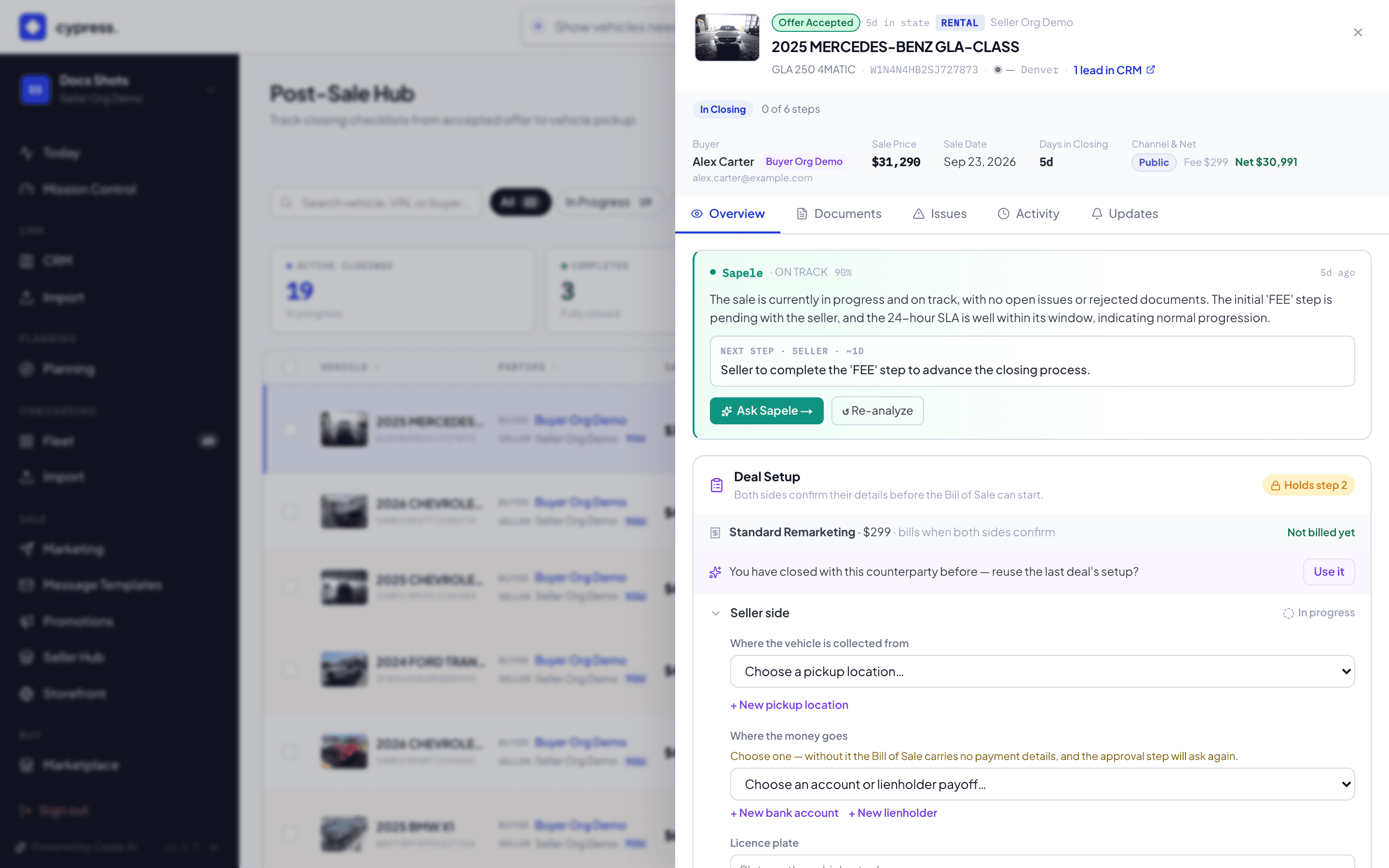
- Deal Setup sits before step 1, not as a step itself: the seller picks the pickup location, bank account (or lender), and confirms the plate; the buyer confirms the title address and names the transporter. Step 2 stays locked, and the commission isn't invoiced, until both sides confirm.
- On Marketplace and Promotion deals, Cypress's team drives the paperwork steps; on Direct link and Storefront deals, the seller's own team owns them.
Steps
Open Post-Sale. Use Your Turn to see only what's waiting on you, or Awaiting Setup to find deals nobody has confirmed yet.
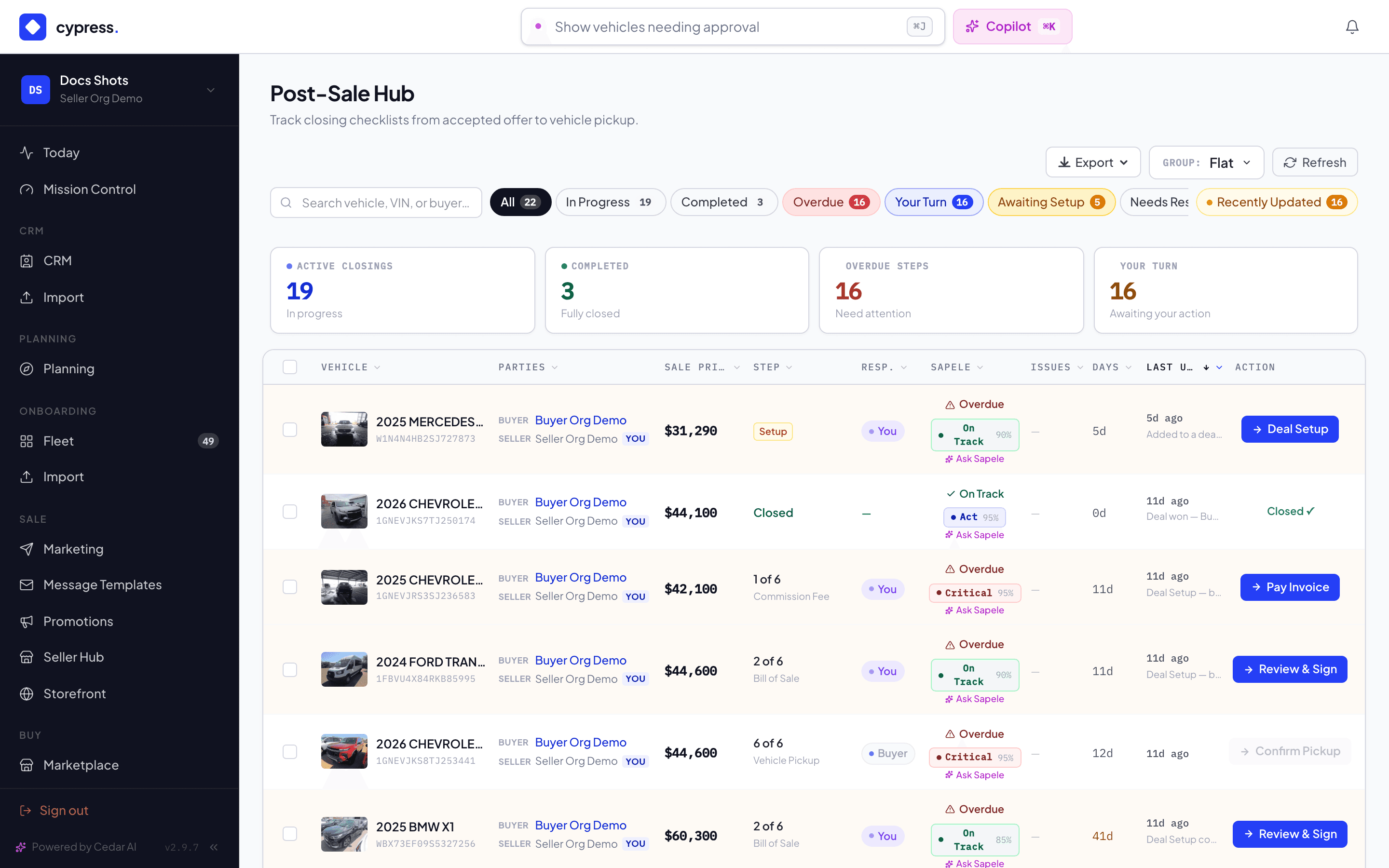
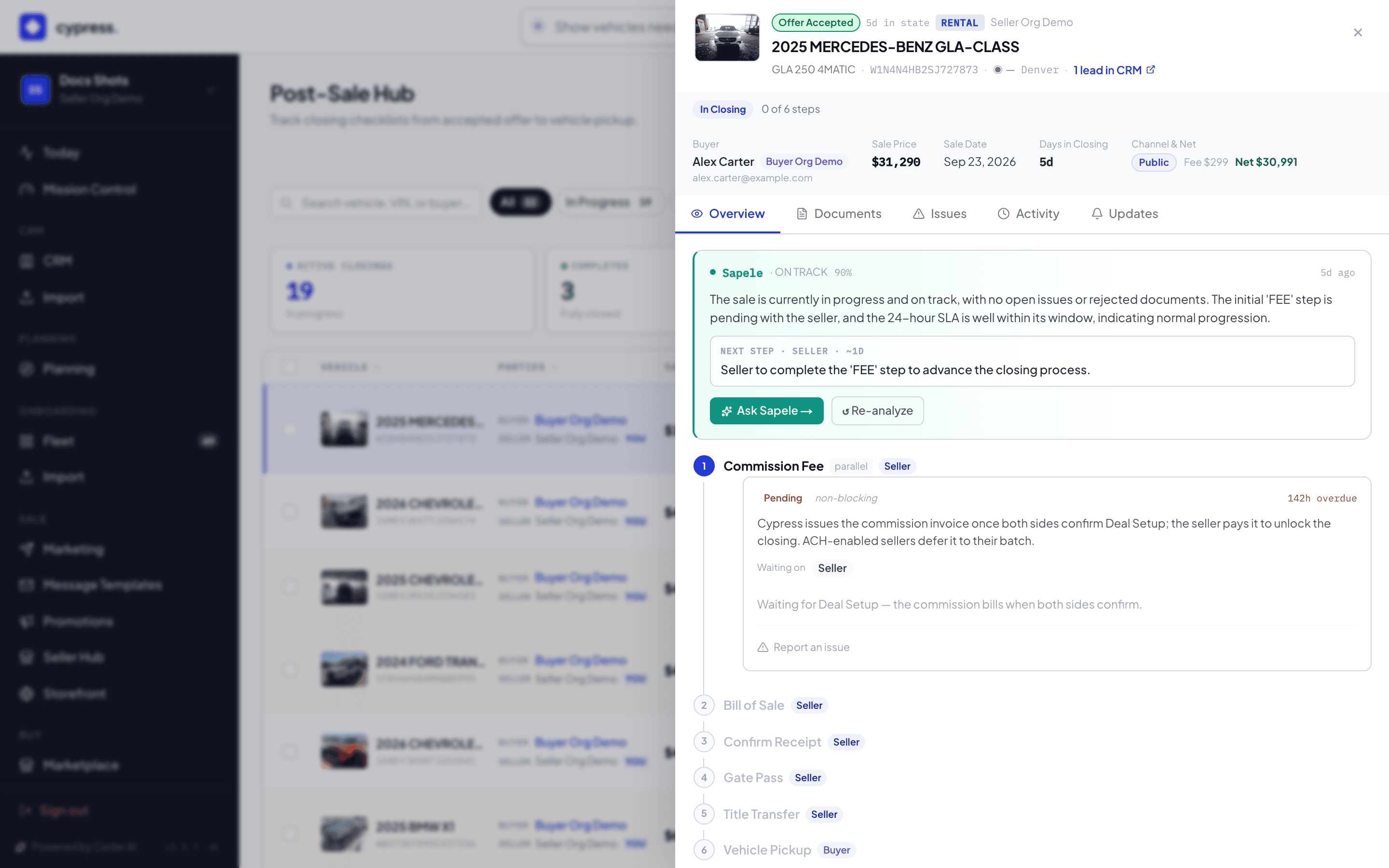
Click a closing to open its detail panel. The rail shows exactly which of the six steps it's on — Commission Fee, Bill of Sale, Confirm Receipt, Gate Pass, Title Transfer, or Vehicle Pickup.
If Deal Setup isn't confirmed yet, open its card: the seller's pickup location, "Where the money goes," and the licence plate; the buyer's "Where titles go" and "Who transports the vehicle." Each side clicks Confirm & lock in — a Cypress Manager acting for a side sees "Confirm on the seller's behalf" (or buyer's) instead.
Work each step in order as its owner: pay the fee, sign the Bill of Sale (seller first, buyer second), confirm funds received, issue the Gate Pass, ship the title, and sign for pickup. Every step's card names whose turn it is.
What happens next
Signatures — not approvals — finish the Bill of Sale and Gate Pass steps: both are generated from facts already confirmed in Deal Setup, so there's no separate review to wait on. The commission invoice is raised once both sides confirm Deal Setup — one side alone doesn't bill. Completing step 6 marks the vehicle SOLD. A late correction to a confirmed Deal Setup fact regenerates any document already built from it — the banner names exactly what changed.
If something goes wrong
- A document already generated from a fact that has since changed carries a banner naming the change (for example, a pickup address) and points at Regenerate — no approval needed, and it warns if signing links already out will be cancelled.
- On a check deal, the 10-day hold sits on Title Transfer; from the moment a check is recorded, the gate pass and pickup steps carry the question "Has the buyer's check cleared?" until someone answers it.
- SLA breaches surface on the hub and the step card, but don't cancel anything by themselves — they're a signal, not a wall.
- A deal that happened off-platform is recorded, not walked through six steps — see Deals closed off-platform.
Ask Cedar
- Pending tasks — "Which due-diligence tasks are pending across active deals?"
- Overdue — "Which due-diligence tasks are overdue?"
- Ready to close — "Which deals have completed due diligence and are ready to close?"