Review how the plan held
Read the quarter's goals against what happened, every window's scorecard, and what a partial sell-through would mean.
TL;DRAI summary
This chapter explains how to review the results of your sales windows against your initial plan. You can see how well you met your goals and give feedback on what worked or didn't, which helps improve future plans.
For: Sellers (fleet managers, org admins) · Cypress Managers acting for a delegating org
Before you start
- Your organization has the Planning product — see Switch Planning on for a customer.
- The Review tab is read-only: planning reads what Sell did; price and listing actions stay in Sell. Nothing here writes to the plan except your own verdict on a closed window's review.
- Window reviews land here only once a sale window's last day has fully passed (the daily sweep) — a fleet mid-quarter may not have one yet, and that's a valid state, not an error.
Steps
Open Planning → Review.
You should see Goals — where the quarter stands, which shows attainment against your own targets, and the scorecard lists every window against what was planned for it and the month's units target. The scorecard opens with a tinted row, Quarter starts Oct 1, and closes with another, Quarter ends Dec 31, so you can see where the quarter begins and ends. A two-week window counts in the quarter that holds its eighth day, so the first window can start before the quarter and the last can end after it, and each says so: starts before the quarter, ends after the quarter. Only the quarter's own windows are on it: the next quarter's are on its own Review. A closed window's name, with an arrow, opens its review below.
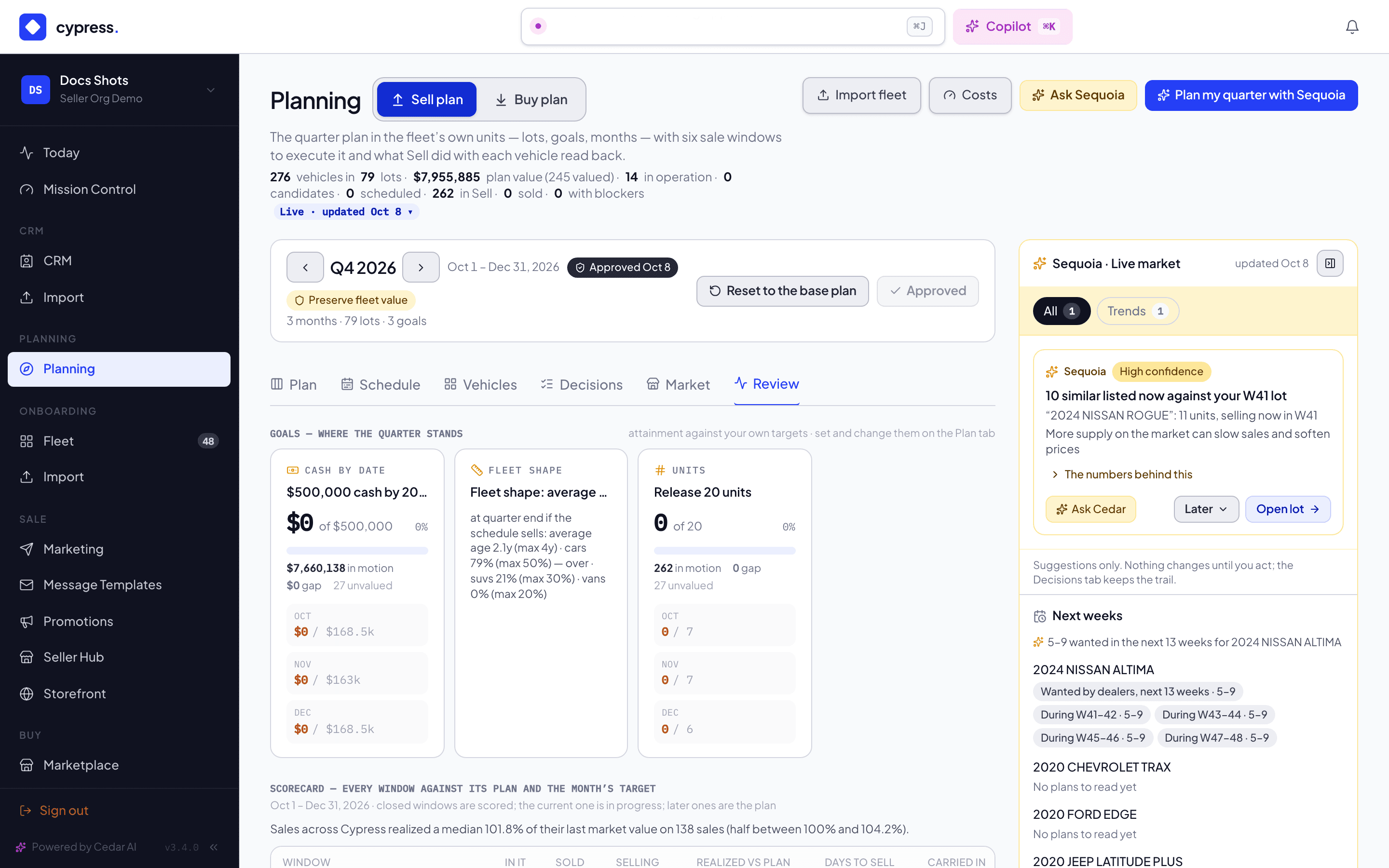
Scroll to Window reviews, which lists the windows of the quarter on the bar.
You should see each window as a row you open, with an arrow and Show details, which gives the closed window's outcome sentence per vehicle — Sold · 11 days · 97% of ask · −$300 vs plan, Missed window, Left the fleet. Below the rows, If only part of what is moving sells shows the shortfall ladder: what 50%, 75%, 80% and 100% sell-through would mean for units, cash, carry cost and the fleet's shape at quarter end.
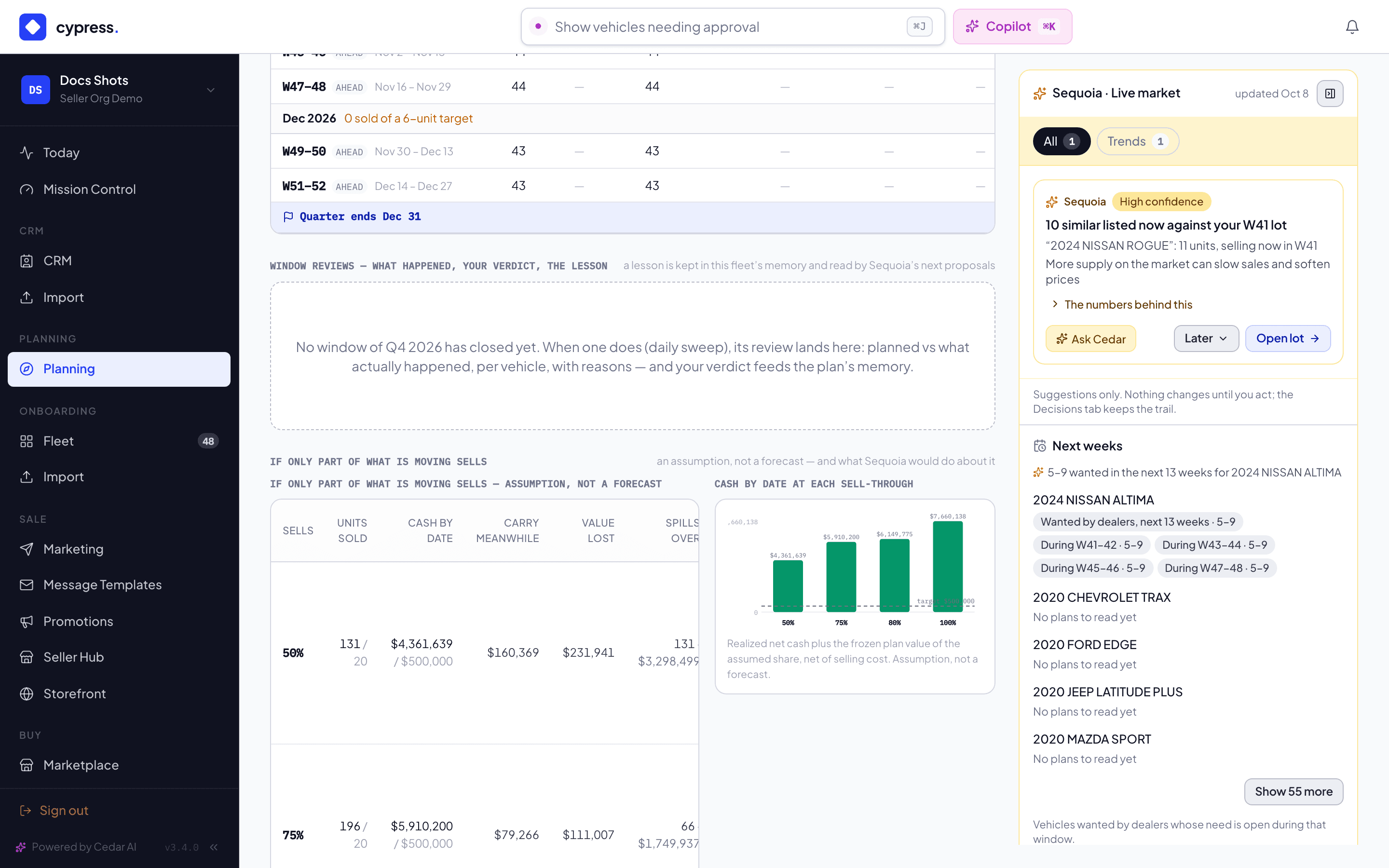
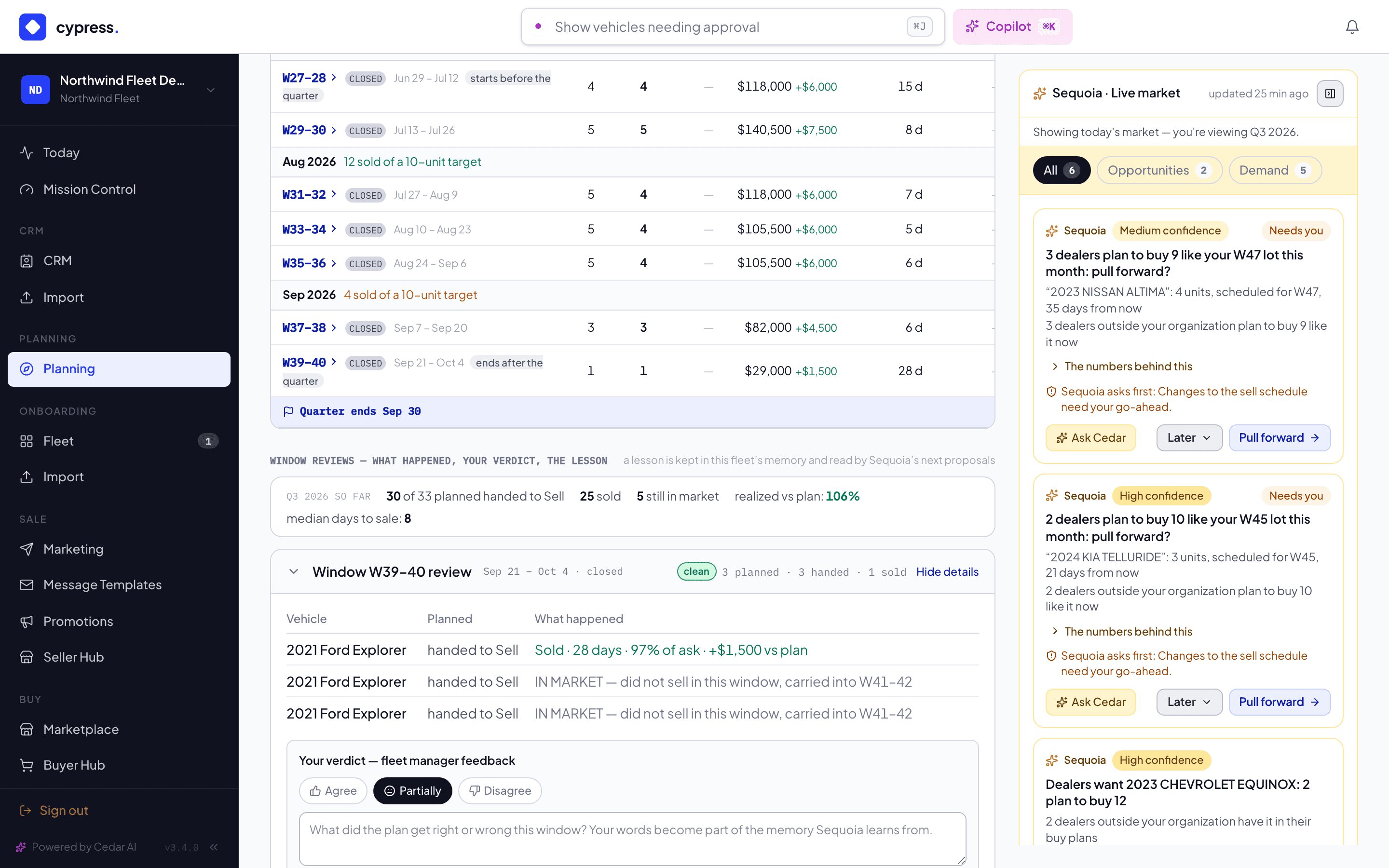
Once a window has closed, click it to expand its per-vehicle table.
You should see each vehicle of the window with its outcome.
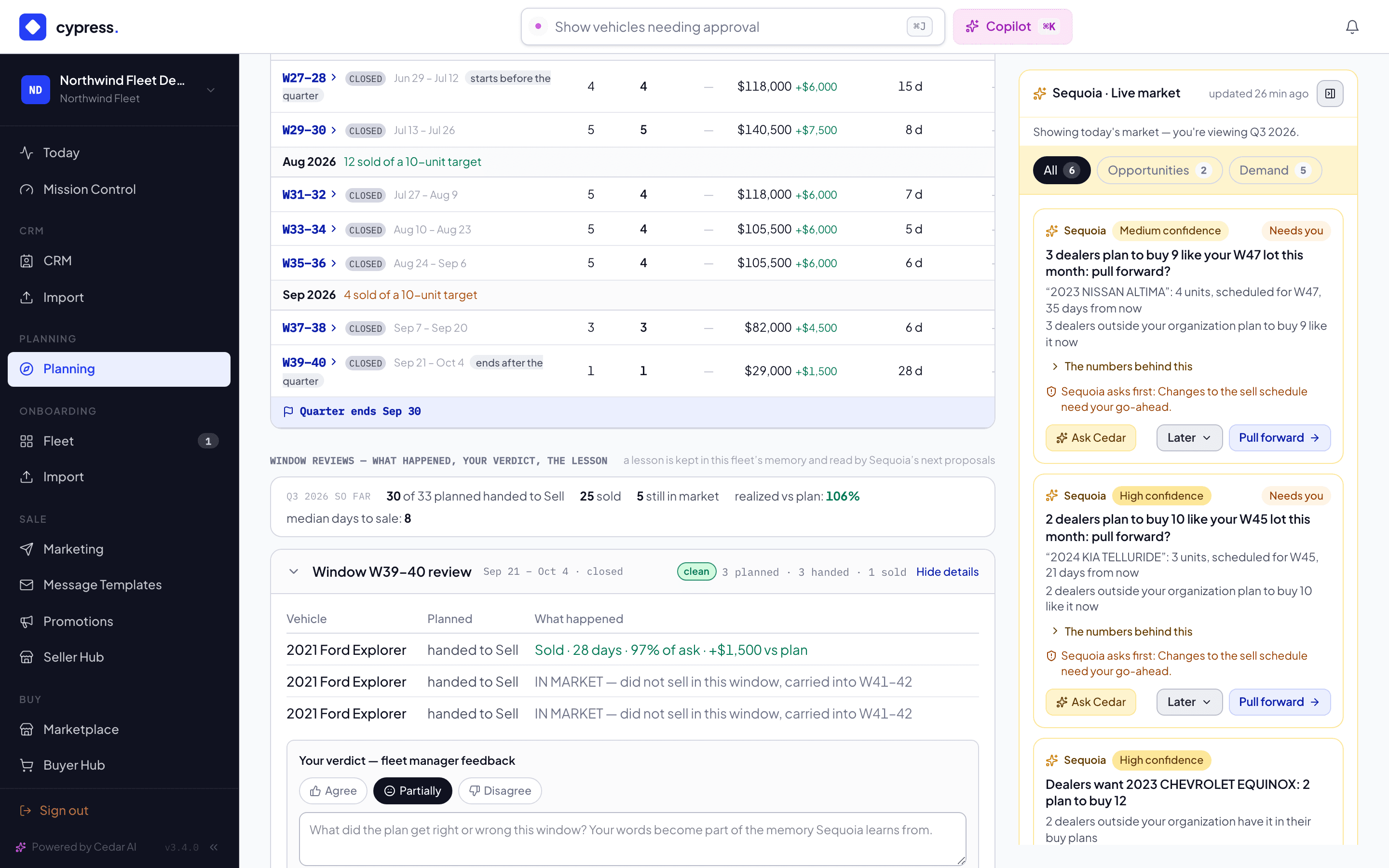
Record your verdict — Agree, Partially, or Disagree — with your own words on what the plan got right or wrong.
You should see your verdict and your words kept on the window's review.
What happens next
Your feedback is recorded to this fleet's customer memory only — never shared outside your org — and informs Sequoia's future proposals; a policy change still needs its own explicit approval. For a goal the quarter is falling short of, the shortfall ladder's remedies (pull more ahead from a lot, revise the target, move the cash date) are proposals you apply, never actions Sequoia takes on its own.
The whole loop, from a window closing to the updated plan:
If something goes wrong
- "Could not record the feedback" — the verdict didn't save; check your connection and submit again. Your typed text isn't cleared, so nothing is lost.
- A window with nothing planned closes silently — no review is written for it, so it's normal for a quiet quarter to show fewer reviews than windows.
- The shortfall ladder is labeled an assumption, not a forecast — it never appears as a commitment or a promise, only as what each sell-through rate would imply.
Ask Cedar
- Against the targets
- Lots behind their month
Related
Clear blockers
Add, edit, resolve or remove a blocker on a vehicle — blockers gate the sale, never the planning.
A selling quarter, end to end: Northwind Fleet
Follow a fictional fleet through a whole selling quarter: read the plan, see dealers' planned demand on the Schedule, read what the market means, pull a lot forward, hand a window to Sell and review last quarter.