Import planning stock
Bring a fleet into Planning from a spreadsheet — vehicles land in operation, never in the Sell intake.
TL;DRAI summary
This chapter shows you how to import your fleet vehicles into the Cypress Planning tool. This helps you track their market value and costs over time, even though these vehicles are not for sale yet.
For: Sellers (fleet managers, org admins) · Cypress Managers acting for a delegating org
Before you start
- Your organization has the Planning product — see Switch Planning on for a customer.
- Only VIN and Mileage are required for a planning import — no floor price, since planning stock is never for sale. Purchase Price, Purchase Date and Acquisition Method are recommended: they feed the carry-cost and cash models.
- Vehicles land in operation, in the plan — never in the Sell intake — already grouped into their lots, ready to be benched. Each new VIN gets one initial market value; after that, planning re-values it every 90 days, never on demand.
Steps
From the Planning page, click Import fleet (or go to Import and choose the planning purpose). The page opens on Import for planning, with a banner naming exactly what a planning import does and doesn't do.
You should see the banner, what to put in the file, and the upload drop zone.
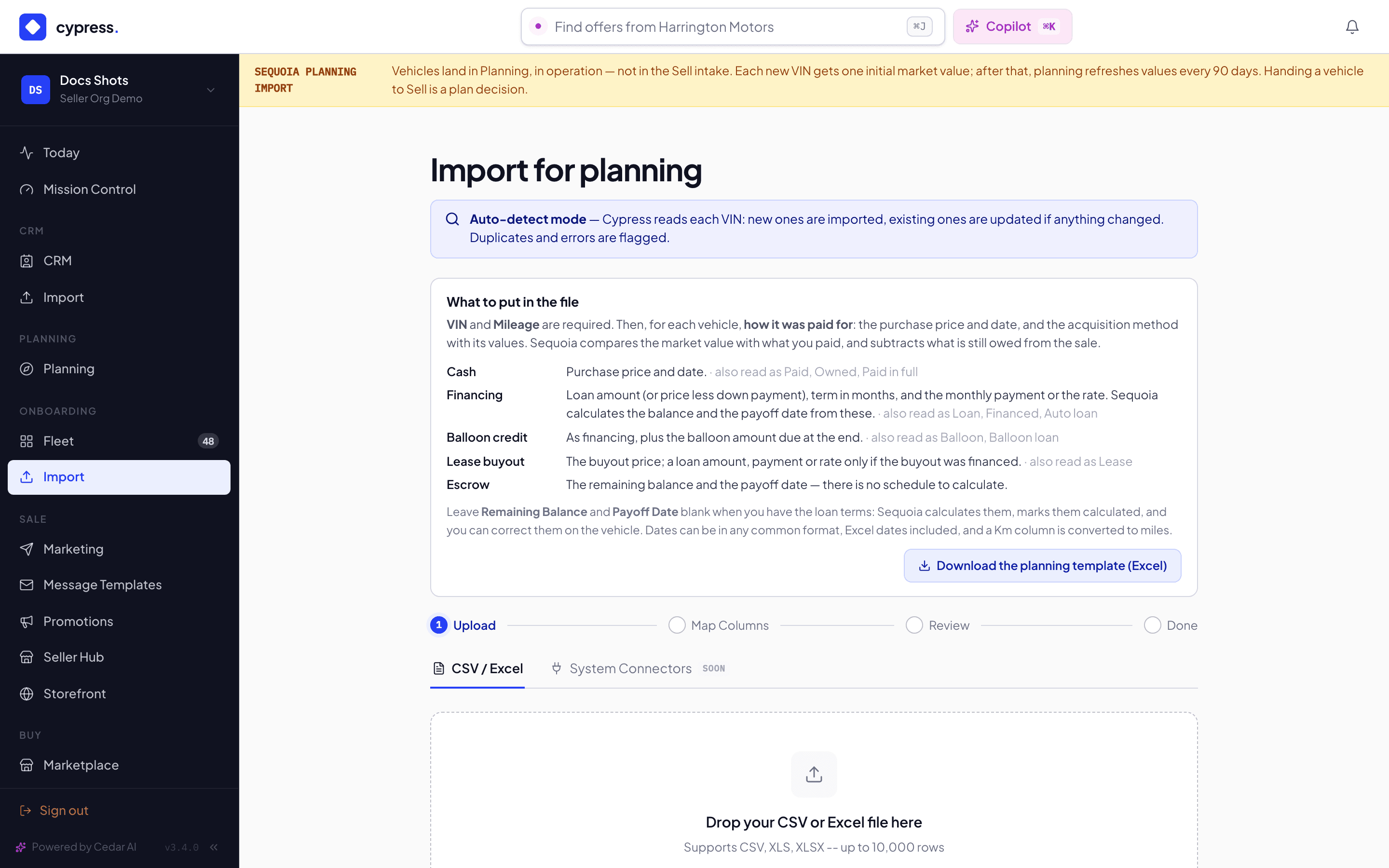
Fill in your spreadsheet — download the planning template (Excel) if you don't have one — then drop your CSV or Excel file, or click Choose file. Click Continue to mapping.
You should see the column mapping, with your file's headers on the left.
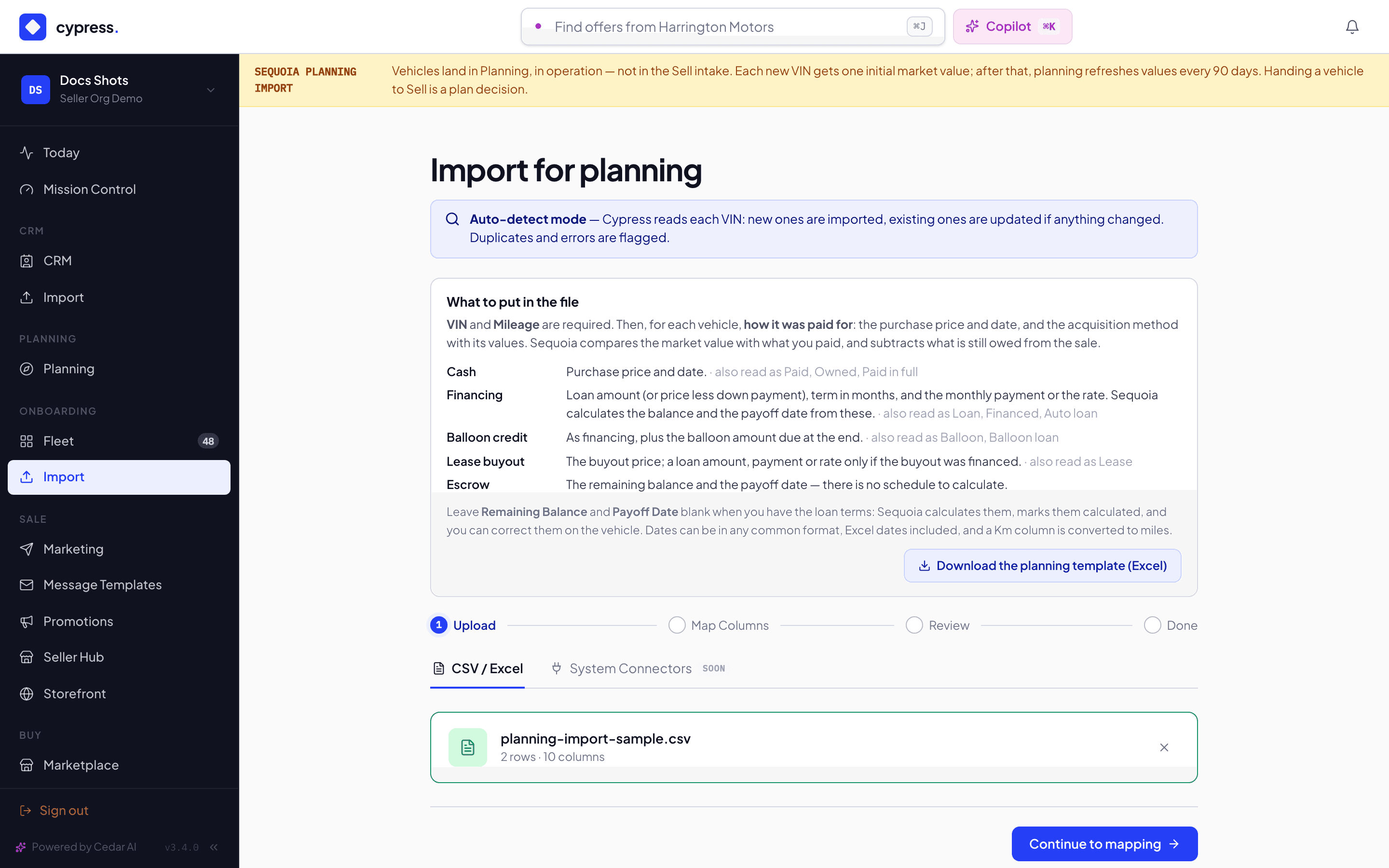
Review the column mapping. Sequoia auto-maps your headers and flags the two required fields (VIN, Mileage) plus the recommended purchase and financing columns; adjust anything mapped wrong, then click Continue to review.
You should see each header matched to a field, with VIN and Mileage marked required.
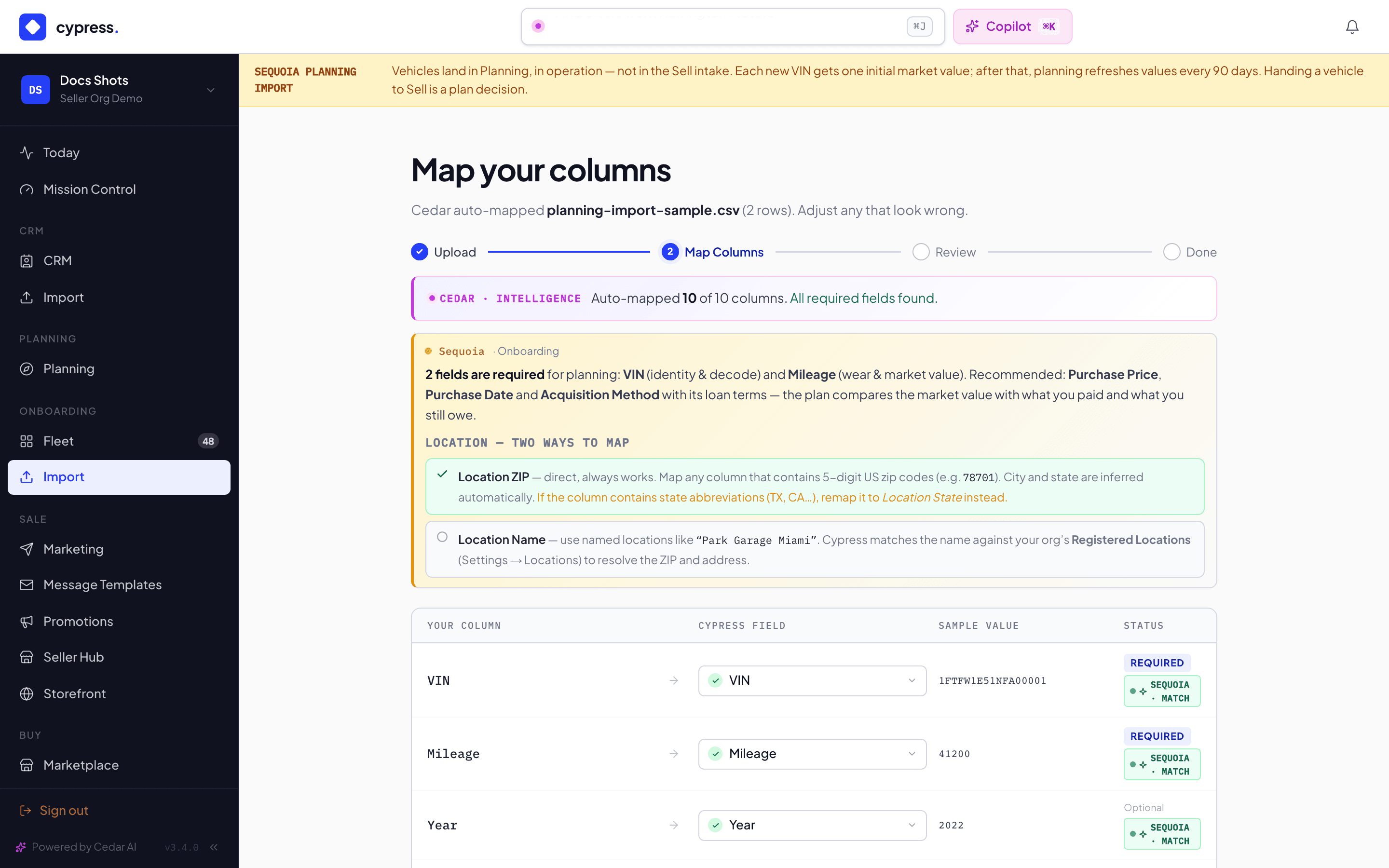
Review the validated rows — new vehicles, updates to existing VINs, and any of your fleet's vehicles missing from the file (offered as archive requests, never removed outright). Click Import N vehicles when it looks right.
You should see the counts of new vehicles, updates and missing ones, and nothing imported until you click the button. After you do, the vehicles land in operation in the plan.
What happens next
The imported vehicles are queued; Sequoia decodes each VIN and gets one initial market value, then the vehicles land in operation in the plan. Balances and payoff dates left blank are calculated from the loan terms you gave. Re-importing the same file later refreshes odometers, costs and financing in place, and flags vehicles missing from the newer file.
If something goes wrong
- "Missing VIN" / "Invalid VIN format" — the row has no VIN, or it isn't 17 characters; fix the column mapping or the source file.
- "Mileage missing -- valuation will be unavailable" — mileage is the one denominator planning cannot value without; the vehicle still imports, unvalued.
- No ZIP — the first market value will be national, not regional; add one for a local figure — the vehicle imports and is valued without a region when no ZIP is mapped; add one later on the vehicle's Details tab and the next planning sweep values it regionally.
- Purchase date "13/45/2022" not recognized — use a date like 2024-03-15 — the same shape applies to Payoff Date, Interest Rate and Loan Term columns: the message names the column, quotes exactly what you typed, and shows a valid example.
Ask Cedar
- Explain this step — "Explain the current import step against my data — what it does and what I should check before continuing."
- Check my mapping — "Review how my CSV columns map to vehicle fields; flag anything unmapped or low-confidence and suggest fixes."