Hand a window to Sell
The one hand-off from planning to the remarketing platform: preview the exact set, then confirm — nothing is listed, priced or disclosed here.
TL;DRAI summary
This chapter explains how to move scheduled vehicles from Planning to Sell using the Hand to Sell button. This action confirms your plans and moves vehicles into your Sell intake as drafts, ready for the next steps.
For: Sellers (fleet managers, org admins) · Cypress Managers acting for a delegating org
Before you start
- Your organization has the Planning product — see Switch Planning on for a customer.
- A window needs at least one scheduled vehicle before Hand to Sell is enabled — see Schedule a sale window. With nothing scheduled the button is off and says so; once everything in the window has been handed it reads Handed; a closed window has no Hand to Sell and shows its result instead. A window of a closed quarter (one whose last day has passed) is not handed over either: the button is off and says Q3 2026 is closed. Switch to Q4 2026 to hand a window to Sell.
- This is planning's one declared market effect: confirming moves
eligible vehicles into your Sell intake (status stays
DRAFT, the intake your team already works). It does not list, disclose to buyers, accept offers, release operating capacity, or bill anything — those keep their own approvals downstream. - A vehicle waiting on a payoff or arrivals blocker is held, not dropped, by the hand-off — it rides the window until the blocker clears. A vehicle with disputed evidence is blocked outright. See Clear blockers.
Steps
Where the hand-off falls in a vehicle's path and in its window (the hand-to-Sell-by date, the close, a missed window) is drawn in Schedule a sale window.
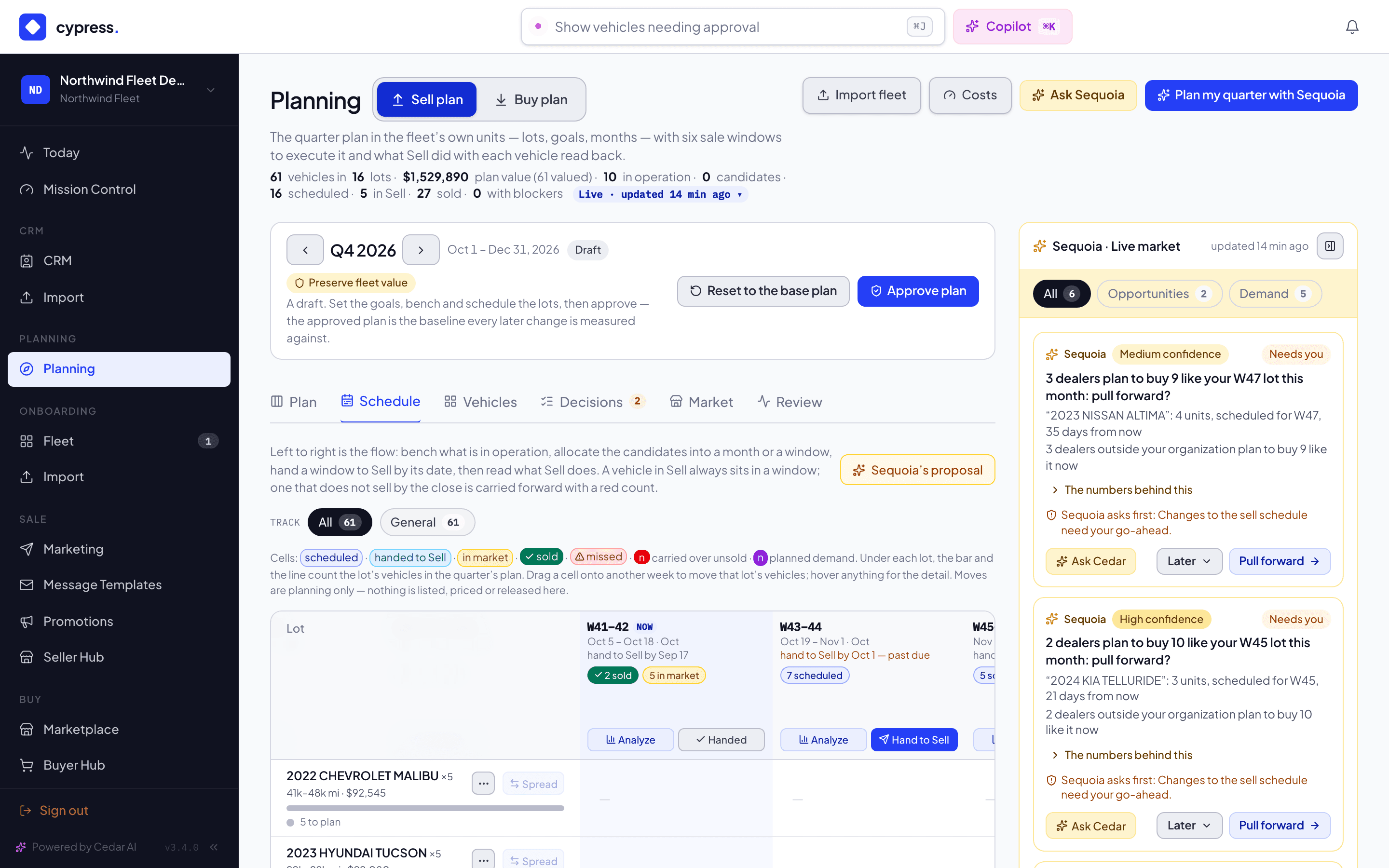
Open Planning → Schedule and click Hand to Sell on the header of a window with scheduled vehicles.
You should see the hand-off preview open. Hand to Sell is off on a window with nothing scheduled.
Review the preview: what confirming does (and explicitly, what it does not), and every vehicle's disposition — Will hand to Sell, waiting on a blocker, or blocked on evidence.
You should see the exact set that confirming would hand over, and What confirming does above it. Nothing has moved yet.
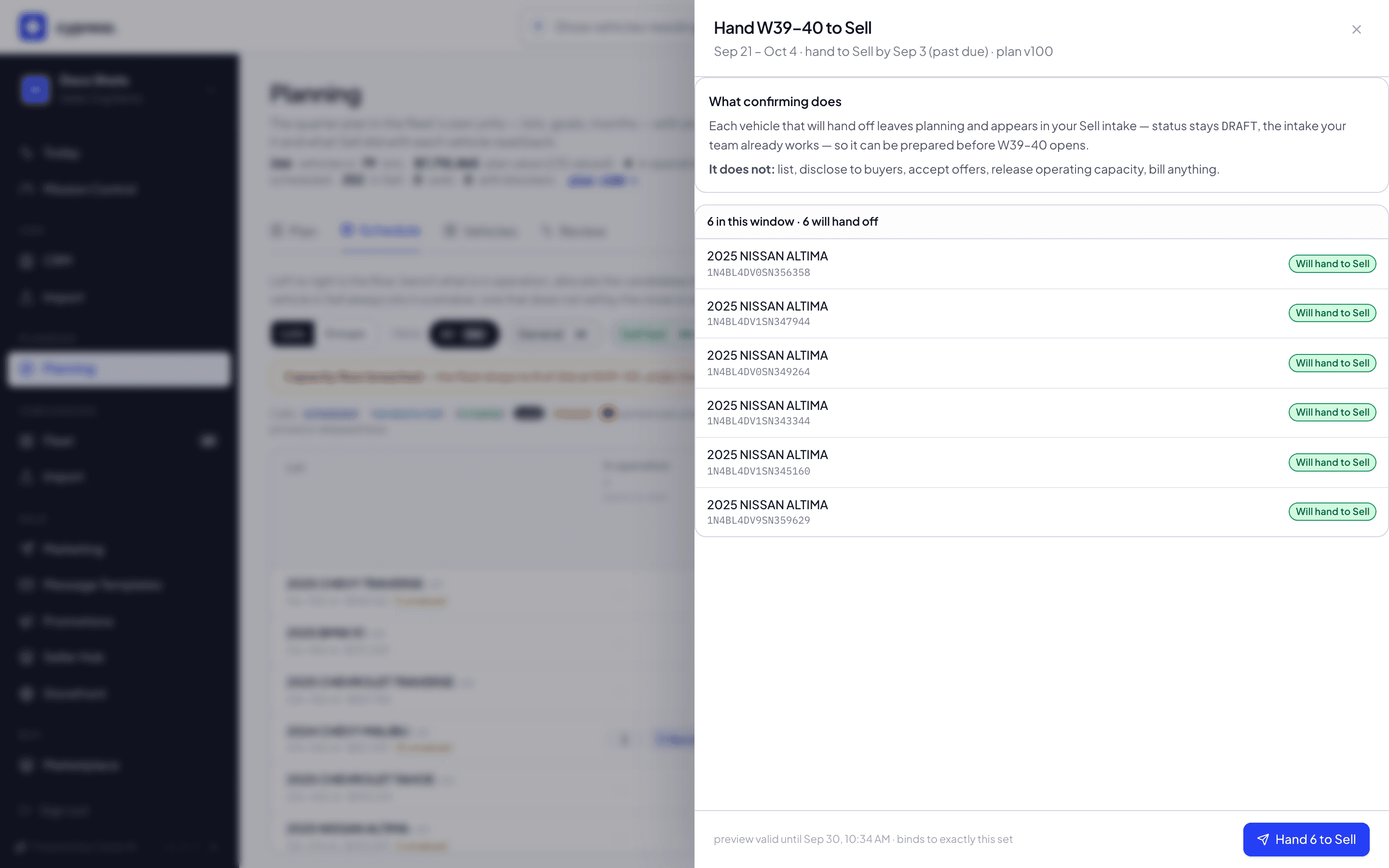
Click Hand N to Sell to confirm. The approval binds to the exact set shown — if anything changed since the preview was cut, the confirm is refused and a fresh preview is generated instead.
You should see the result list every vehicle's outcome, and the handed-over vehicles appear in your Sell intake as drafts.
What happens next
Each promoted vehicle appears in your Sell intake, still in DRAFT, ready
to be prepared before the window opens — and receives its track's
label (plan-sell-fast, plan-general …) so Sell's pricing rules can
read the plan's intent. A held vehicle stays in planning until its blocker
clears; a blocked one is untouched. The vehicle panel's Plan tab shows a
way back: a handed-off vehicle that hasn't reached listing can return
to planning as a candidate, with the reason recorded.
If something goes wrong
- "The set changed since the preview — here is a fresh one." — the
confirm was refused as
PREVIEW_STALEand the panel already reloaded a current preview for you. Two different things trigger the same refusal: the preview's own expiry passed (it's only valid for a limited window, shown as preview valid until … in the panel footer), or the cohort itself changed — a vehicle moved, or a blocker changed — between the preview and the confirm. Either way, the panel never acts on a set you didn't actually see: review the fresh preview and confirm again. - "This window has closed — promote from an open one." — the window's last day has already passed; hand off from a window that's still open.
Ask Cedar
- Hand to Sell this week
- Open blockers