The plan in Sell — one voice
How a fleet's live quarter plan shows up where vehicles are sold: plan chips and the In a plan slice, the read-only Plan tab, and one sell-or-hold voice across the platform.
TL;DRAI summary
This chapter shows you how to view your plan for a vehicle in Sell. You'll see the sale window, track, and what the plan recommends, all based on decisions made in Planning. This helps ensure everyone involved in selling is working from the same strategy.
For: Sellers · Cypress Managers
A plan is only useful if the people selling can see it. Everything in this chapter is read-only in Sell: Sell reads the plan, and the decisions are made in Planning. Every surface below links back to the vehicle in Planning. For the sell plan card on the hub, the planned-demand line and the dealer side of the same loop, see Planning inside remarketing.
On the list — the plan chip and the In a plan slice
In the Seller Hub, every vehicle of a fleet with a live plan carries a small plan chip under its status: the sale window it is expected to sell in (for example W43–44), and its track when the track asks Sell for something other than the default (for example Sell fast). The chip turns amber once the vehicle has missed a window and was carried forward. Hover it for the track, the window and what the plan says.
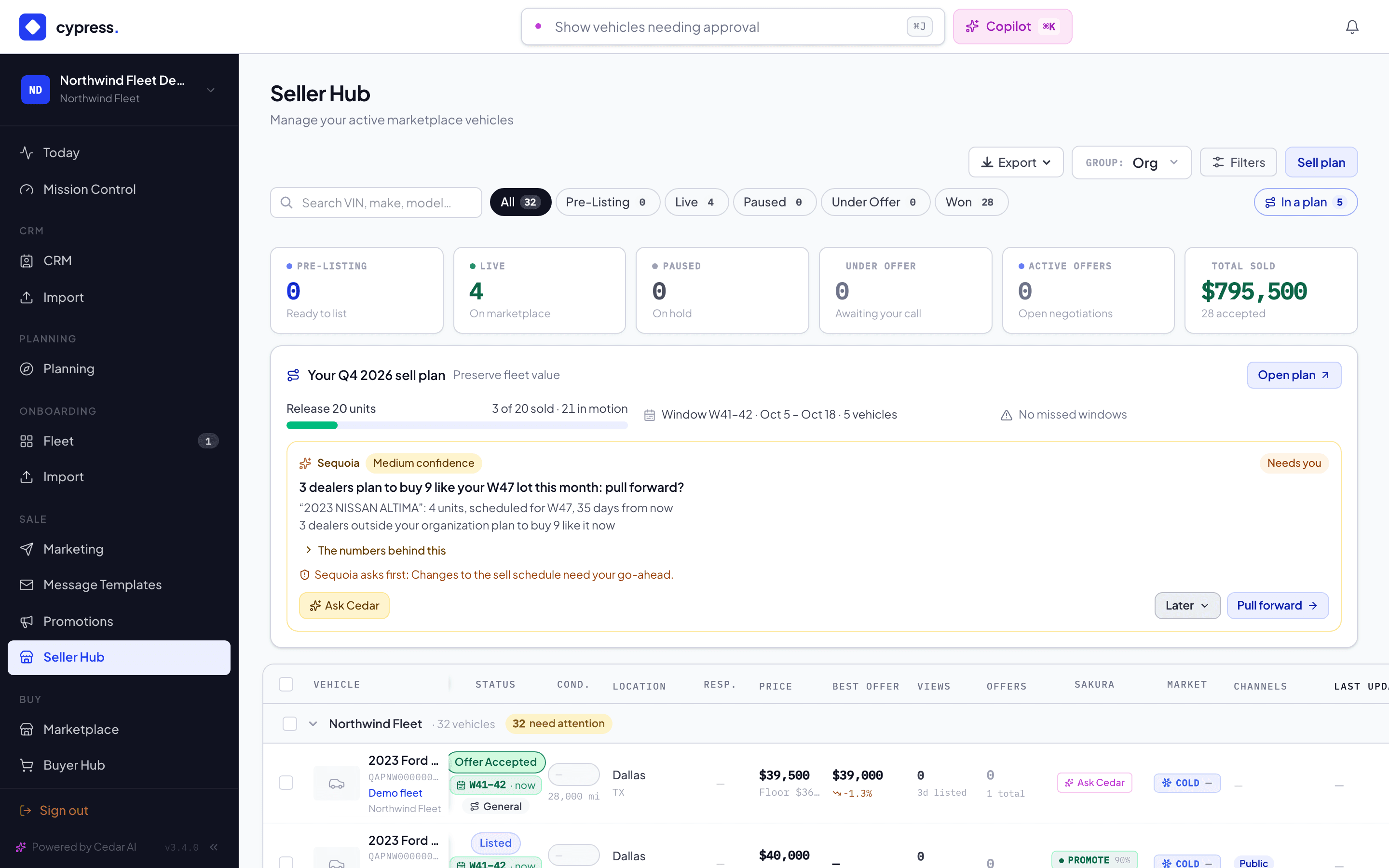
The In a plan chip at the right of the status slices shows only the planned vehicles — handy on Pre-Listing, to see which approvals the plan is waiting on.
The Plan tab
The Seller Hub vehicle panel and the Fleet panels (the side panel through review, the onboarding sheet through intake) gain a Plan tab, next to Overview, when the vehicle's fleet has a live plan. It shows:
- What the plan says — Sequoia's verdict (Sell now, Hold to W45, Already selling — the question is price…) with its reason, and the basis the numbers stand on (full, market value only, purchase price only).
- The track and its posture — how patient Sell should be, the listing and acceptance posture the track sets.
- The sale window with its dates, and the plan value frozen when the vehicle was scheduled — what the sale is measured against.
- Missed windows, when there are any: planning information that the track, the ask or the plan value should be looked at again.
- Market position and the same car — the market value, what Cypress expects it to realize, the Cypress trend, and bought → market value → plan value → expected → ask. See the plan.
- One action: Open in Planning.
One voice
For a fleet with a live plan, the plan is the sell-or-hold engine. Wherever Sell shows a recommendation — the Fleet grid's Advice column, the advice card on intake, Cedar's fleet summary — it is the plan's verdict, labeled as Sequoia's, with its evidence coverage (the share of inputs verified or connected) in place of a confidence figure. The plan re-states its advice when you open Planning and every morning; it writes a new entry only when a vehicle's advice actually changes.
The older post-valuation Cedar recommendation stands down for planned fleets — no second, independent verdict. Fleets without a plan keep it.
Sakura still advises on the sale — exposure, price against the plan value and what Cypress expects, and offers — but inside the plan: it reads the verdict, the track, the window and the market position before it speaks. When a newer market value arrives or the plan's advice for the vehicle changes after Sakura's read, the Seller Hub marks the read out of date and offers a re-run.
The offer check in the offer panel is Sell's own rule on your floor and list price; it is not the plan's advice.
Business rules
- Sell never opens a plan: the plan chips, the Plan tab and one voice apply only to fleets whose manager opened a quarter plan.
- Plan advice never reaches buyers: the marketplace does not return it.
- Sell reads the plan with up to a minute of delay; Planning itself is always current.
The schedule, the hand-off, and what actually happened
Sequoia's proposal into the six windows, handing a window to Sell by its date, the read-only execution mirror with the shortfall ladder, and the reviews the plan learns from.
Buy planning
Plan what you buy — the quarter's goal and budget, targets and tracks, matches, purchases and a review against your approved plan, with Sequoia reading the market. A product your organization switches on.